
Operations
Zoho RouteIQ solutions set up the way you work.
Map visualization, route optimization and field visit tracking built on Zoho CRM data, for sales and service teams on the road.
- CRM Leads
- Accounts & Contacts
- Deals
- Scheduled Meetings
- Mobile Check-ins
- Drop-in Visits
 Zoho RouteIQOperations
- Optimized Routes
- Visit Records
- Mileage Claims
About RouteIQ
What Zoho RouteIQdoes.
The core of what Zoho RouteIQ offers, based on Zoho's official product documentation. It works as an extension of Zoho CRM, so reps plan, navigate and log visits against the records they already use.
- ShorterDrive time
- MoreDaily visits
- ClearerField activity
01Map visualization
Plot CRM leads, contacts, accounts, deals and events on an interactive map and filter what appears.
- Map View
- Explore
- Saved Zoho CRM Filters
- Color Views
02Proximity search
Find prospects close to a rep's current location or near a planned stop.
- Near Me
- Nearby
- Search Along the Route
03Route planning
Build optimized routes from scheduled meetings and drop-ins, with arrival and departure estimates.
- Route Optimization
- Flexible and Scheduled Routes
- Estimated Time of Arrival & Departure
04Route distribution
Spread field visits, jobs and deliveries across the team instead of assigning them by hand.
- Route Distribution
- Automated Route Planning
05Field check-ins
Reps check in and out at customer locations from the mobile app and record visit results.
- Check-in, Check-out & Proof of Delivery
- Restricted Check-in/out
- Visit Outcome
- Multi-app Navigation
06Tracking
Follow route progress, review visits and see distance and time spent on each route.
- Route Progress Tracking
- Visits Tracking
- Mileage Tracking
- Live Tracking
07Map & route reports
Analyze territory density and compare planned against actual visits, time and mileage.
- Heat map
- Cluster map
- Route Deviation Report
- Field Performance Report
08Route workflows
Automate follow-up work such as email notifications or mileage expenses based on route details.
- Route Workflows
- Automated Check-in/out
- Automated Mileage Expenses
How Xevort helps
Making RouteIQ work your way.
What our team can set up, customize and connect in Zoho RouteIQ.
Setup
RouteIQ installed on Zoho CRM, users assigned and modules or views selected for geocoding.
Customize
Map layouts, color views and saved filters arranged around territories, stages or lead sources.
Automate
Route workflows, automated route planning and auto check-in settings tuned to your field process.
Integrate
RouteIQ linked with Zoho Expense, and route data used in CRM workflows and reports.
Data cleanup
CRM addresses standardized before geocoding so record credits are not spent on bad data.
Territories
Route distribution and visit assignment set up to reflect how regions are split across reps.
Check-in rules
Restricted check-in and check-out, visit outcomes and proof of delivery configured for field staff.
Mileage
Mileage and time tracking enabled, with expense claims created in Zoho Expense after each route.
Integrations
Connect Zoho RouteIQwith the tools you use.
We can connect RouteIQ with other Zoho apps and the services you already use, so records move between them without anyone re-typing them.
- Native Zoho connectionsZoho apps that share data with each other out of the box.
- Delivered by XevortIntegrations our team has built on client projects.
- Officially supportedConnectors Zoho provides, set up and mapped to your process.
 CRM
 Expense
 Google Maps
 Waze
 Apple Maps
- Custom API
Why choose Zoho RouteIQ
Field visits plannedaround the map.
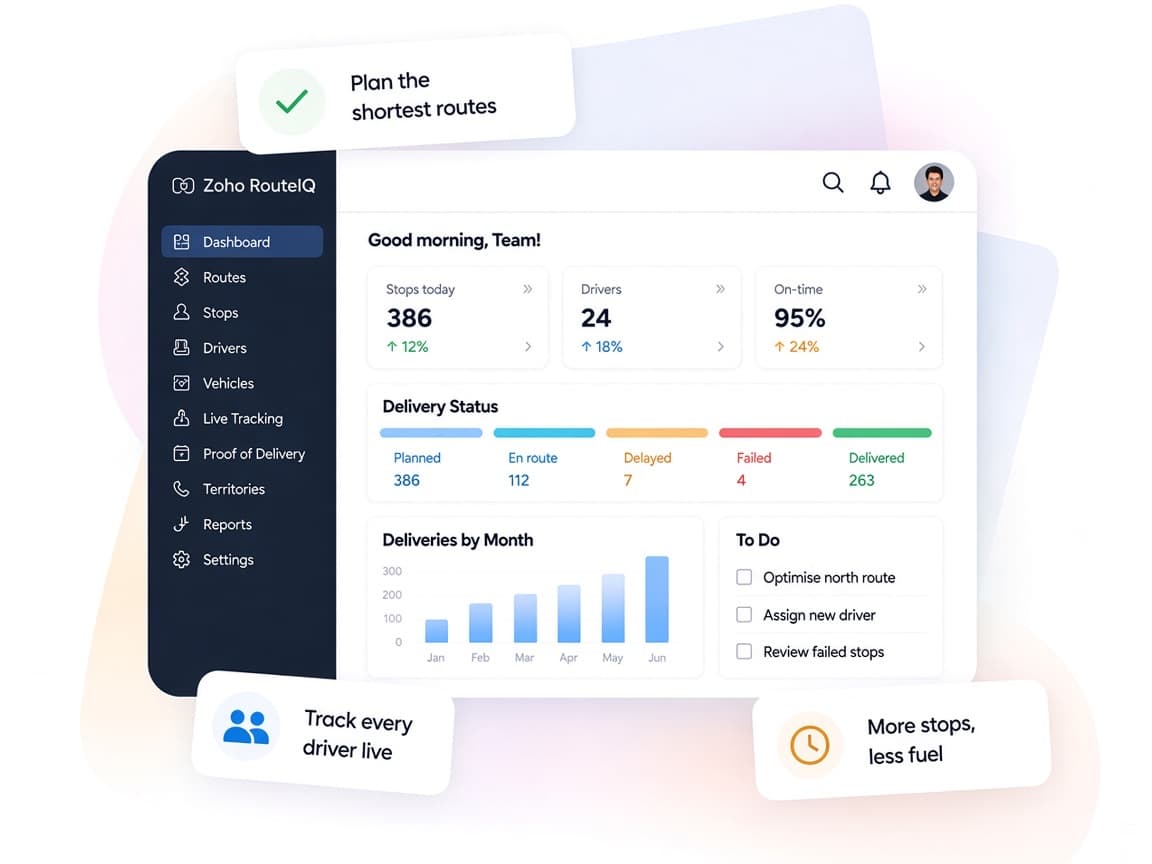
Zoho RouteIQ turns CRM records into a daily route for each rep and records what actually happened on the road, so managers can compare plans with results.
- CRM data on a mapLeads, accounts, deals and events plotted alongside each other.
- Fair visit distributionStops shared across the field team without manual assignment.
- Verified visitsRestricted check-ins confirm reps were at the customer location.
- Planned vs. actualReports compare visits, time and mileage with route deviations.
- Routes built for youAutomated route planning creates daily routes from scheduled meetings.
- Less admin after the tripRoute workflows handle notifications and mileage expense creation.
FAQ
Zoho RouteIQquestions, answered.
Straight answers on setup, migration, integrations and timelines before you start.
Still have questions?
Tell us about your Zoho RouteIQ setup and our team will get back to you.
RouteIQ is an extension for paid Zoho CRM accounts, and it is not included in Zoho One. It relies on Google Maps, so addresses are converted to coordinates using record credits. We help you choose which modules and views to geocode.
Yes. Route distribution on the Professional plan allocates visits, jobs and deliveries among team members. We configure it around your territories and test it with sample days before rollout.
Yes. RouteIQ can create mileage expenses in Zoho Expense when a route is completed. We set up the integration and the mileage rates it depends on together with your Expense admin.
Yes. We review and standardize address fields in Zoho CRM so records plot correctly and credits are not used on incomplete or duplicate data.
RouteIQ offers route progress tracking, visit tracking and live tracking on the web app. We enable the features your plan includes and set check-in rules with your team's agreement in mind.
This depends on the systems involved, API availability, data complexity, testing requirements and business rules. These are typical Xevort project estimates, not fixed delivery commitments.
Free Zoho consultation
Ready to get more from Zoho RouteIQ?
Tell us how your business works, what you want to improve, and where Zoho fits today. We'll recommend the right approach, with no obligation.
- Reply within 1 business day
- New or existing Zoho setups
- Fixed-scope proposals