
Marketing
Zoho Social solutions set up the way you work.
Social publishing, a shared inbox, listening and reports across your brand channels, set up so your team posts and responds consistently.
- YouTube
- Lead Ads
 Zoho SocialMarketing
- Scheduled Posts
- Unified Inbox
- Social Reports
About Social
What Zoho Socialdoes.
The core of what Zoho Social offers, based on Zoho's official product documentation. It gives marketing and support one place to plan content, answer audiences and prove what social activity delivers.
- ConsistentPosting
- QuickerResponses
- StrongerBrand voice
01Publishing & scheduling
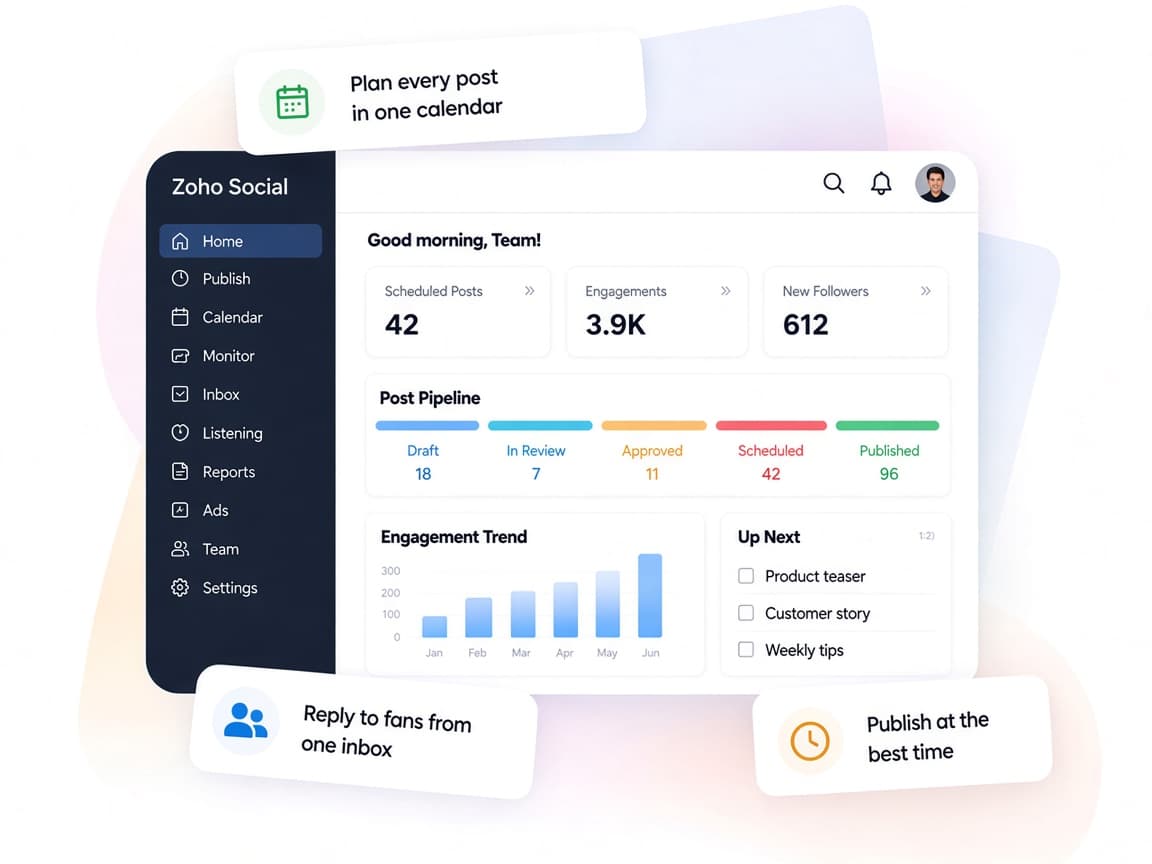
Plan posts on a shared calendar and let queues publish when your audience is most active.
- Publishing Calendar
- Content Queues
- SmartQ
02Content curation
Keep a steady posting pipeline by pulling in articles from feeds and the browser.
- RSS feeds
- zShare extension
03Unified inbox
Messages, comments and reviews in one place, filtered by priority and assigned to the right person.
- Inbox
- Assignment workflows
- Conversation history
04Social listening
Track mentions, keywords and reviews to join conversations about your brand and industry.
- Listening dashboard
- Live stream
- Mentions
05Team collaboration
Draft together, approve before publishing and discuss posts or reports with teammates and clients.
- Roles and permissions
- Content approvals
- Team discussions
06Analytics & reports
Audience and content metrics per channel, with custom reports delivered on a schedule.
- Stats and Analytics
- Custom reports
- Schedule reports
07Zia content assistant
Zia drafts or rephrases replies and suggests captions and hashtags as you write.
- Respond with Zia
- Caption ideas
- Hashtag suggestions
08Design & lead capture
Create visuals without leaving the app and send social leads straight to Zoho CRM.
- Canva integration
- Hashtag Manager
- Facebook Lead Ads
How Xevort helps
Making Social work your way.
What our team can set up, customize and connect in Zoho Social.
Setup
Brands, channels and team members connected, with admin rights and client access planned per brand.
Customize
Posting queues, RSS sources, hashtag groups and branded short links set for each channel.
Automate
SmartQ schedules, inbox assignment and scheduled reports that cut routine social admin.
Integrate
Zoho Social linked to Zoho CRM and Desk, plus Canva, Bitly and Facebook Lead Ads.
Approvals
Roles and approval steps so drafts are reviewed by the right people before they go live.
Listening
Listening columns for brand mentions, competitors and keywords that matter to your market.
Lead capture
Facebook Lead Ads field mapping so social leads arrive in Zoho CRM without CSV exports.
Reporting
Custom report templates per brand or client, scheduled to stakeholders at a set frequency.
Integrations
Connect Zoho Socialwith the tools you use.
We can connect Social with other Zoho apps and the services you already use, so records move between them without anyone re-typing them.
- Native Zoho connectionsZoho apps that share data with each other out of the box.
- Delivered by XevortIntegrations our team has built on client projects.
- Officially supportedConnectors Zoho provides, set up and mapped to your process.
 CRM
 Desk
 One
 Facebook
 Instagram
 LinkedIn
 X (Twitter)
 YouTube
 TikTok
 Pinterest
 Google Business Profile
 Threads
 Mastodon
 Bluesky
 WhatsApp
 Telegram
- CCanva
 Bitly
- PGPixabay & Giphy
- Custom API
Why choose Zoho Social
All your brand channels,managed together.
Zoho Social lets brands and agencies publish, respond, listen and report across their channels without juggling separate logins.
- Every channel togetherFacebook, Instagram, LinkedIn, YouTube and more in one dashboard.
- Teamwork built inRoles, approvals and discussions for marketers and clients.
- Your content rhythmQueues and calendars that follow your posting plan.
- Measurable impactAudience, content and engagement reports on a schedule.
- Zia on handHelp drafting replies, captions and hashtags.
- Controlled accessAdmin-only channel connections and permission-based roles.
FAQ
Zoho Socialquestions, answered.
Straight answers on setup, migration, integrations and timelines before you start.
Still have questions?
Tell us about your Zoho Social setup and our team will get back to you.
Zoho Social supports Facebook, Instagram, X, LinkedIn, YouTube, TikTok, Pinterest, Google Business Profile, Threads, Mastodon and Bluesky, with WhatsApp and Telegram in the inbox. The number of channels depends on your plan.
Yes. We configure roles and content approvals so drafts from your team or agency are reviewed before they are scheduled or published.
Yes. We integrate Zoho Social with Zoho CRM and map Facebook Lead Ads fields so new leads are created in CRM without manual exports.
Yes. With the Zoho Desk integration, social interactions can become tickets. We set up inbox assignment and the Desk connection so nothing goes unanswered.
Yes. We build custom reports per brand or client and schedule them for delivery, then train your team to adjust them over time.
This depends on the systems involved, API availability, data complexity, testing requirements and business rules. These are typical Xevort project estimates, not fixed delivery commitments.
Free Zoho consultation
Ready to get more from Zoho Social?
Tell us how your business works, what you want to improve, and where Zoho fits today. We'll recommend the right approach, with no obligation.
- Reply within 1 business day
- New or existing Zoho setups
- Fixed-scope proposals