
Office & Productivity
Zoho Show solutions set up the way you work.
Presentation software with Zia deck generation, brand libraries, data-linked slides and live broadcasting, set up so every team presents on brand.
- PowerPoint Files
- CRM Data
- Spreadsheets
- Brand Assets
- Survey Results
- Media
 Zoho ShowOffice & Productivity
- Branded Decks
- Live Broadcasts
- Personalized Pitches
About Show
What Zoho Showdoes.
The core of what Zoho Show offers, based on Zoho's official product documentation. Slide design, review and live delivery happen in one shared tool, so decks don't bounce between apps and inboxes.
- ConsistentBrand decks
- QuickerDeck creation
- CurrentSlide data
01Themes & layouts
Start from professional themes and templates, then lock in your look with master and custom layouts.
- Themes
- Templates
- Master layout
- Custom layouts
02Zia in Show
Turn a short idea into a full deck, rewrite or expand slide text and generate original visuals.
- Deck generation
- Rewrite text
- AI visuals
- Zoho AI models
03Design tools
Build slides with shapes, smart diagrams, tables and animated charts that tell the story behind the data.
- Shapes
- Smart diagrams
- Data Art
- Tables
04Animation
Draw attention with entrance, exit and emphasis effects, custom motion paths and smooth slide transitions.
- Animations
- Motion paths
- Morph transition
- Slide transitions
05Collaboration
Co-edit with colleagues, comment on any element and lock slide objects or check out the deck to avoid clashes.
- Real-time collaboration
- Comments
- Lock elements
- Check out
06Libraries
Keep approved templates, slides and fonts in a central repository with roles and a review flow.
- Template Library
- Slide Library
- Font Library
- Library slide sync
07Data-driven slides
Reuse values across a deck with Data Fields, link Sheet data and merge CRM fields into personalized decks.
- Data Fields
- Data linking
- Zoho CRM merge
- Zoho Survey charts
08Delivery
Present with speaker notes, broadcast to remote viewers, stream on camera or cast to a TV.
- Presenter View
- Broadcast
- LiveCast
- Audience Window
How Xevort helps
Making Show work your way.
What our team can set up, customize and connect in Zoho Show.
Setup
Organization, team folders and sharing rules configured so the right people can edit, review or view decks.
Customize
Master layouts, brand colors, fonts and placeholder layouts built into themes your teams start from.
Automate
CRM merges that produce personalized decks in bulk, plus Zoho Flow or Zapier links for deck events.
Integrate
Show connected with CRM, Sheet, Analytics, Survey and WorkDrive, plus Slack or Google Drive where useful.
Brand library
Template, slide and font libraries with roles and an approval flow so only reviewed content is reused.
Data slides
Data Fields, Sheet links and Analytics charts arranged so recurring decks update instead of being rebuilt.
Deck migration
Existing PowerPoint decks imported, checked for formatting issues and turned into reusable templates.
Live delivery
Broadcast, LiveCast, Presenter View and TV apps set up and rehearsed for events and boardrooms.
Integrations
Connect Zoho Showwith the tools you use.
We can connect Show with other Zoho apps and the services you already use, so records move between them without anyone re-typing them.
- Native Zoho connectionsZoho apps that share data with each other out of the box.
- Delivered by XevortIntegrations our team has built on client projects.
- Officially supportedConnectors Zoho provides, set up and mapped to your process.











Why choose Zoho Show
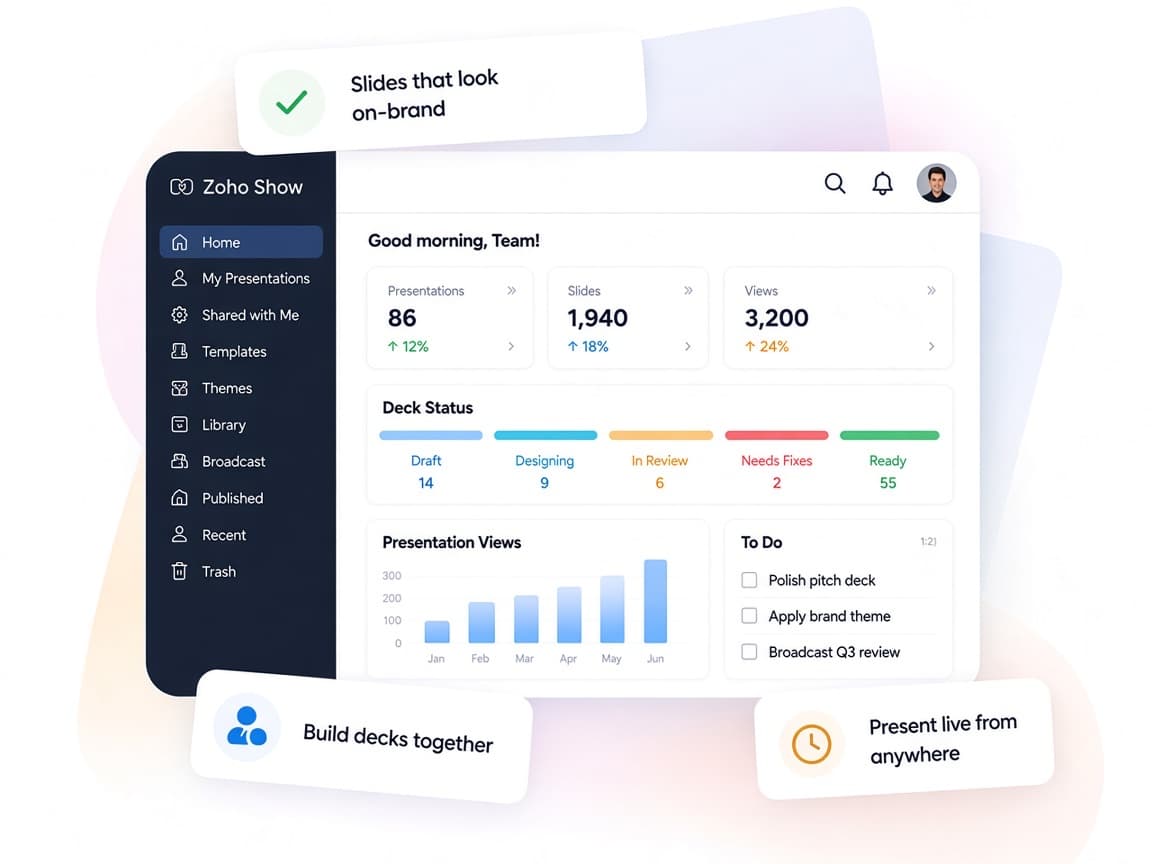
Slides that stayon brand and on point.
Zoho Show gives teams shared brand assets, live data and AI help, so presentations look consistent and carry current numbers.
- Design to deliveryCreate, review, broadcast and publish without switching tools.
- Decks built togetherLive co-editing and element-level comments speed up reviews.
- Approved assets onlyLibraries with a review flow keep slides and fonts on brand.
- Data you can presentAnalytics, Survey and Sheet data appear as ready-made charts.
- Zia drafts the deckAI builds first drafts, rewrites text and creates visuals.
- Edits under controlElement locks, check-out and access levels prevent overwrites.
FAQ
Zoho Showquestions, answered.
Straight answers on setup, migration, integrations and timelines before you start.
Still have questions?
Tell us about your Zoho Show setup and our team will get back to you.
Yes. Show imports PPTX, PPT, PPSX and ODP files and exports back to PPTX, PDF and other formats. We import your key decks, review formatting and rebuild your best ones as shared templates.
Yes. Show's Zoho CRM integration merges dynamic fields into slide templates to generate multiple personalized presentations at once. We design the template and map the CRM fields for your sales team.
We set up master layouts and themes, then configure the Template, Slide and Font Libraries with roles and an approval flow, so teams reuse only reviewed content.
Yes. Show includes Broadcast, LiveCast for on-camera streaming, Presenter View and an Audience Window, along with Apple TV and Android TV apps. We configure and test the setup for your sessions.
Yes. Designers learn to manage layouts and libraries, and presenters learn templates, Zia and the delivery tools.
This depends on the systems involved, API availability, data complexity, testing requirements and business rules. These are typical Xevort project estimates, not fixed delivery commitments.
Free Zoho consultation
Ready to get more from Zoho Show?
Tell us how your business works, what you want to improve, and where Zoho fits today. We'll recommend the right approach, with no obligation.
- Reply within 1 business day
- New or existing Zoho setups
- Fixed-scope proposals