
Projects & Collaboration
Zoho WorkDrive solutions set up the way you work.
Team Folders, role-based sharing, version history and content workflows, set up so files stay organized, findable and secure.
- Desktop Files
- Email Attachments
- Scanned Docs
- Mobile Uploads
- Partner Files
- Business Apps
 Zoho WorkDriveProjects & Collaboration
- Team Folders
- Secure Sharing
- Approvals
About WorkDrive
What Zoho WorkDrivedoes.
The core of what Zoho WorkDrive offers, based on Zoho's official product documentation. Each team gets a governed space for its files, with clear permissions, version history and search that reaches inside documents.
- OrganizedTeam files
- SaferFile sharing
- QuickerFile search
01Team Folders
Store shared work in team-owned spaces with role-based access that reaches down to subfolders.
- Team Folders
- Role-based access
- Subfolder sharing
02Office suite
Create and co-edit documents, spreadsheets and presentations without leaving WorkDrive.
- Writer
- Sheet
- Show
03Collaboration controls
Comment in context, keep drafts private until ready and lock files while you edit.
- Comments
- Drafts
- Check-in/check-out
- Version history
04Search & organization
Find files by name, content or text inside images, and classify them with labels and templates.
- Advanced search
- OCR
- Labels
- Data Templates
05External sharing
Share with partners through expiring links or guest access that you can revoke at any time.
- External links
- Guest users
- Watermarks
06Workflows
Route files through reviews and approvals, including external participants, with Deluge for complex logic.
- Workflows
- Custom functions
- Connections
07Zia AI
Ask questions inside files, transcribe and summarize media and build AI content hubs, with several features in beta.
- Ask questions (Beta)
- File Suggestions (Beta)
- Zia Hubs (Beta)
08Security & admin
Protect sensitive content with DLP, audit trails, retention and eDiscovery from the Admin Console.
- Data Loss Prevention
- Audit trail
- eDiscovery
- Device management
How Xevort helps
Making WorkDrive work your way.
What our team can set up, customize and connect in Zoho WorkDrive.
Setup
Teams, members, roles and a Team Folder structure planned around your departments and projects.
Customize
Data Templates, labels, folder layouts and default views that make files easy to classify.
Automate
Review and approval workflows, plus Deluge custom functions and webhooks for file events.
Integrate
WorkDrive connected to CRM, Projects, Desk, Cliq and Mail, with Microsoft Office and Zapier where needed.
File migration
Files, folders and sharing permissions moved from Google Workspace, Dropbox or OneDrive with the built-in tool.
Access control
Team Folder roles, external sharing rules and guest access mapped to who should see what.
DLP & retention
Content classification, DLP policies, trash retention and eDiscovery configured to your compliance needs.
Desktop sync
The WorkDrive desktop app, TrueSync and WorkDrive Genie rolled out so teams work from familiar tools.
Integrations
Connect Zoho WorkDrivewith the tools you use.
We can connect WorkDrive with other Zoho apps and the services you already use, so records move between them without anyone re-typing them.
- Native Zoho connectionsZoho apps that share data with each other out of the box.
- Delivered by XevortIntegrations our team has built on client projects.
- Officially supportedConnectors Zoho provides, set up and mapped to your process.









Why choose Zoho WorkDrive
Files that stayfindable and safe.
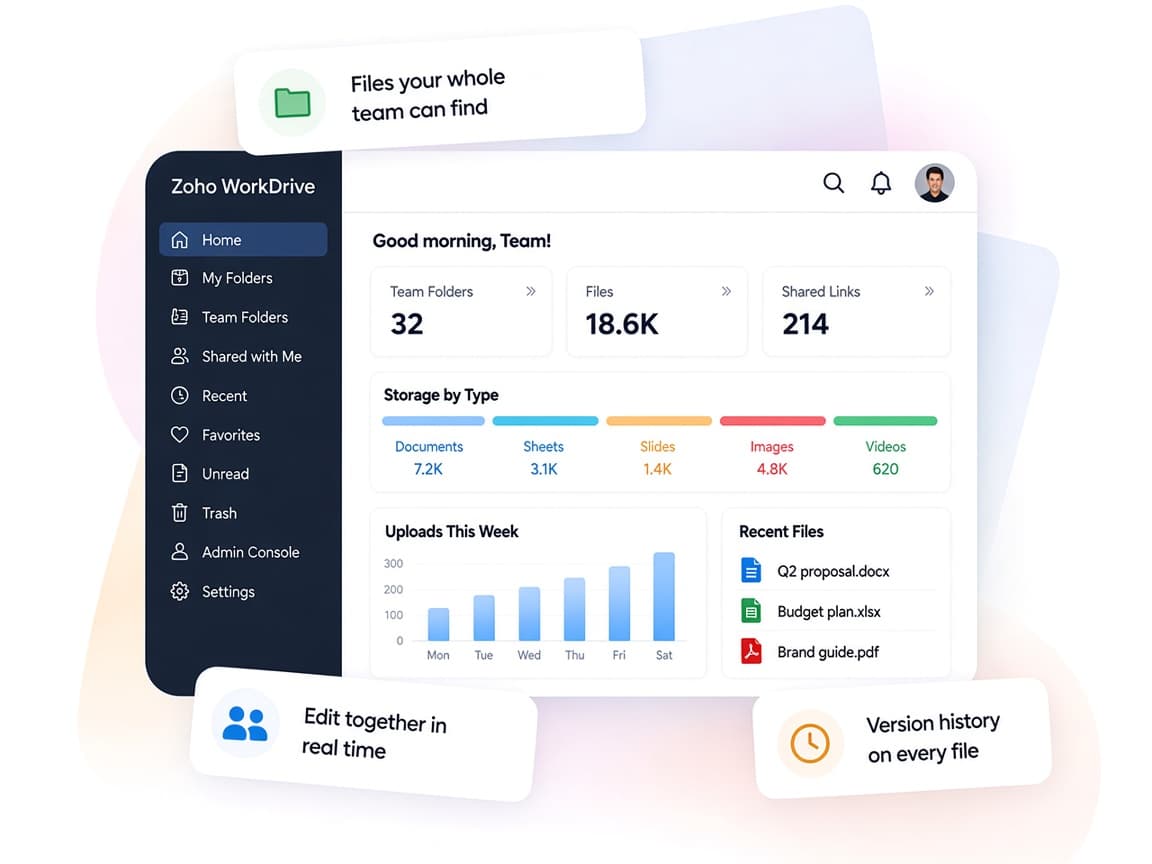
Zoho WorkDrive replaces scattered drives and email attachments with a shared, governed space your whole team can rely on.
- One file homeTeam Folders, office apps and sharing in a single workspace.
- Real-time co-editingTeams comment on, edit and review the same file together.
- Structured contentData Templates, labels and workflows match how you file work.
- Usage visibilityAccess stats, activity timelines and admin reports show who did what.
- Smarter discoveryOCR search and Zia features help surface the right file.
- Governed by designDLP, audit trails, retention and eDiscovery keep content under control.
FAQ
Zoho WorkDrivequestions, answered.
Straight answers on setup, migration, integrations and timelines before you start.
Still have questions?
Tell us about your Zoho WorkDrive setup and our team will get back to you.
Yes. WorkDrive's built-in migration tool supports organizational moves from Google Workspace, Dropbox and eligible OneDrive plans, with Dropbox and OneDrive enabled on request. We plan the folder structure, map users and permissions, run the migration and verify the results.
We map your departments, projects and external collaborators, then design Team Folders, roles and sharing rules so each person sees only what they need.
Yes. The official WorkDrive for Microsoft Office add-on lets users open, edit and save WorkDrive files from Word, Excel and PowerPoint, and the desktop app keeps local files in sync.
Yes. We build WorkDrive workflows for reviews and approvals, including steps for external users, and add Deluge custom functions when a process needs to update other systems.
WorkDrive includes DLP policies, audit trails, retention settings and eDiscovery. We configure these features to match your policies, while compliance decisions stay with your team and advisors.
This depends on the systems involved, API availability, data complexity, testing requirements and business rules. These are typical Xevort project estimates, not fixed delivery commitments.
Free Zoho consultation
Ready to get more from Zoho WorkDrive?
Tell us how your business works, what you want to improve, and where Zoho fits today. We'll recommend the right approach, with no obligation.
- Reply within 1 business day
- New or existing Zoho setups
- Fixed-scope proposals