
Communication
Zoho Voice solutions set up the way you work.
Cloud business numbers, IVR, call queues, power dialing and call analytics, configured so sales and support calls happen inside Zoho apps.
- Inbound Calls
- Mobile App
- Two-way SMS
- CRM Contacts
- Click-to-call
 Zoho VoiceCommunication
- Call Records
- Call Summaries
- Queue Reports
About Voice
What Zoho Voicedoes.
The core of what Zoho Voice offers, based on Zoho's official product documentation. Numbers, routing and call history live in one cloud phone system that agents can use from a browser, desktop app or phone.
- QuickerCall routing
- CompleteCall history
- FewerMissed calls
01Business numbers
Buy local, toll-free or personal numbers in the countries you serve, or bring your own carrier without porting.
- Local numbers
- Toll-free numbers
- Personal numbers
- BYOC
02Call routing
Greet callers with an IVR, send them to the right queue and route by business hours and holidays.
- IVR
- Call queues
- Business hours
- Call forwarding
03Contact center
Supervise live calls, coach agents quietly and track queue service levels and agent availability.
- Call monitoring
- Queue Stats
- Live-call status
- Agent Status Audit
04Outbound calling
Run dialer campaigns across agents, drop prerecorded voicemails and tag every call with an outcome.
- Multi-Agent Power Dialer
- Voicemail drop
- Call disposition
- Call notes
05Messaging
Text customers from business numbers and handle WhatsApp or Telegram chats. Two-way SMS covers US, Canada and Australia numbers.
- Two-way SMS
- Instant Messaging
- Template Messaging
06Call intelligence
Transcribe recorded calls, summarize intent and sentiment, and route inbound calls to external voice AI agents.
- Call Intelligence
- Voicemail transcription
- External Voice AI
- Advanced Noise Cancellation
07Call handling
Transfer calls, record conversations, offer callbacks when agents are busy and give agents wrap-up time.
- Call transfer
- Call recording
- Callback Request
- Call wrap-up time
08Reports & logs
Track call volumes, queue performance and caller ratings from the dashboard and detailed call records.
- Call logs and reports
- Queue performance
- Feedback rating
- Call detail records
How Xevort helps
Making Voice work your way.
What our team can set up, customize and connect in Zoho Voice.
Setup
Numbers, users, roles, business hours and holiday profiles configured for each team and location.
Customize
Greetings, hold music, voicemail prompts, recording profiles and call dispositions that suit your brand.
Automate
Deluge integrations that react to calls, update records and notify teams in other tools.
Integrate
Voice connected to CRM, Desk, Bigin, Recruit and Cliq, plus WhatsApp, Telegram and headsets.
Call routing
IVR menus, queue ring strategies and overflow rules designed so callers reach the right person.
Telephony
Zoho Telephony set up so CRM and Desk agents can click to call, see pop-ups and auto-log calls.
Dialer campaigns
Power dialer campaigns, contact imports and voicemail drops prepared for outbound sales teams.
Call analytics
Dashboards, queue metrics and agent status reports configured for supervisors and managers.
Integrations
Connect Zoho Voicewith the tools you use.
We can connect Voice with other Zoho apps and the services you already use, so records move between them without anyone re-typing them.
- Native Zoho connectionsZoho apps that share data with each other out of the box.
- Delivered by XevortIntegrations our team has built on client projects.
- Officially supportedConnectors Zoho provides, set up and mapped to your process.












Why choose Zoho Voice
Answer faster,sell and support better.
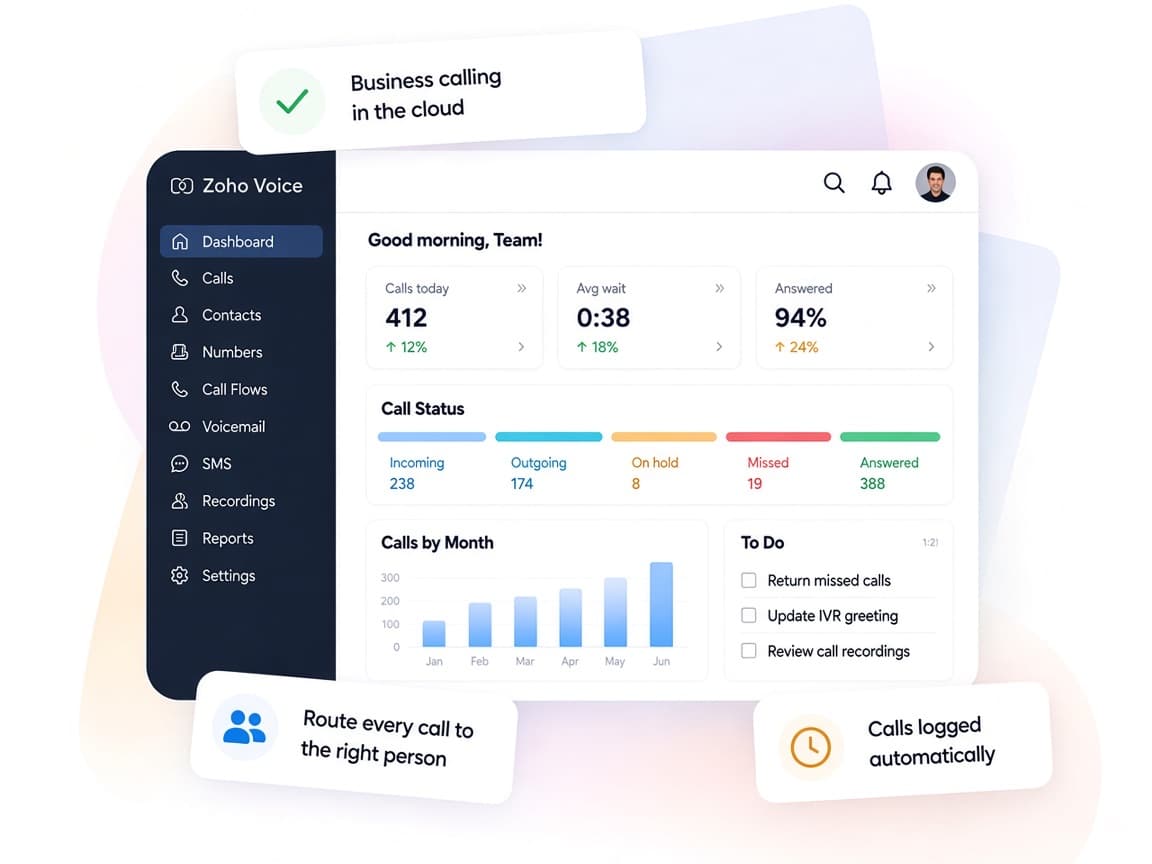
Zoho Voice puts calling, messaging and call records in the same place your teams already manage customers.
- Calls and texts togetherVoice, SMS, WhatsApp and Telegram handled from one system.
- Connected agentsExtensions and agent-to-agent calling keep remote teams reachable.
- Routing your wayIVR, queues and business hours follow your support model.
- Queue visibilityQueue stats and live-call status show where callers wait.
- Calls summarizedCall Intelligence transcribes and scores recorded conversations.
- Controlled accessRoles, number blocking and recording profiles decide who hears what.
FAQ
Zoho Voicequestions, answered.
Straight answers on setup, migration, integrations and timelines before you start.
Still have questions?
Tell us about your Zoho Voice setup and our team will get back to you.
No. Zoho states that Voice is a separate subscription, but it connects to Zoho One apps through Zoho Telephony (PhoneBridge) in the Enterprise Telephony edition. We help you pick the right edition and set up the connection.
Yes. With the native integration and the ZDialer extension, agents get click-to-call, caller pop-ups and automatic call logging in CRM, Desk and Bigin. We import agents, link numbers and test the full call flow.
Zoho lists US, EU, IN and AU data centers, and some features vary by data center. Two-way SMS is limited to US, Canada and Australia numbers. Number availability differs by country, so we confirm coverage with Zoho during planning.
Zoho Voice offers BYOC, which lets you use existing numbers and your current carrier without porting. We configure it alongside any new numbers you buy and check inbound and outbound calls before go-live.
Yes. We design the IVR menus, queue ring strategies, business hours and dialer campaigns, then train agents and supervisors on handling, monitoring and reporting.
This depends on the systems involved, API availability, data complexity, testing requirements and business rules. These are typical Xevort project estimates, not fixed delivery commitments.
Free Zoho consultation
Ready to get more from Zoho Voice?
Tell us how your business works, what you want to improve, and where Zoho fits today. We'll recommend the right approach, with no obligation.
- Reply within 1 business day
- New or existing Zoho setups
- Fixed-scope proposals