
Projects & Collaboration
Zoho Cliq solutions set up the way you work.
Team chat, channels, calls and bots, configured so conversations, alerts and quick actions from other apps happen in one place.
- Direct Messages
- Channels
- Calls
- Meetings
- App Alerts
- Files
 Zoho CliqProjects & Collaboration
- Task Actions
- Meeting Summaries
- Searchable History
About Cliq
What Zoho Cliqdoes.
The core of what Zoho Cliq offers, based on Zoho's official product documentation. Quick questions, team threads and company announcements stay organized and close to the work they relate to.
- FewerEmail threads
- QuickerTeam decisions
- ConnectedBusiness apps
01Messaging
Chat one-to-one or in groups, fork side discussions and pin the messages that matter.
- Direct messages
- Forked messages
- Pinned messages
- Reminders
02Channels
Organize discussion by team, broadcast announcements and bring in outside partners.
- Team channels
- Announcement channels
- External channels
- Channel permissions
03Calls & meetings
Move from chat to calls, screen sharing and whiteboard sessions without switching apps.
- Audio/Video calls
- Screen sharing
- Whiteboard
- Voice & video messages
04AI in Cliq
Catch up with unread summaries, translate messages and get meeting transcripts and summaries.
- Unread summaries
- Message translation
- Meeting transcripts
- Writing assistant
05Developer platform
Build bots, slash commands, widgets and message actions that run Deluge scripts when triggered.
- Bots
- Slash commands
- Widgets
- Message actions
06Integrations
Bring alerts and actions from Zoho apps and Marketplace extensions straight into chat.
- Zoho apps
- Marketplace extensions
- Connections
07Security & compliance
Apply DLP, retention, eDiscovery and IP restrictions, and keep external talks in a separate space.
- DLP policies
- eDiscovery
- IP restriction
- Networks
08Admin & branding
Set your own domain, brand assets and themes, and arrange the sidebar for the whole organization.
- Admin panel
- Custom domain
- Themes
- Sidebar layout
How Xevort helps
Making Cliq work your way.
What our team can set up, customize and connect in Zoho Cliq.
Setup
Organization, users, departments and channel structure set up from your teams and reporting lines.
Customize
Custom domain, branding, themes and a sidebar layout arranged for the whole organization.
Automate
Schedulers, functions and Deluge scripts that post reminders, reports and alerts automatically.
Integrate
Cliq connected with CRM, Desk, Projects and People, plus GitHub, Jira or Google Drive extensions.
Custom bots
Bots, slash commands, widgets and message actions built around your team's most frequent requests.
Chat migration
Channels and history imported from Slack, or moved with the wizard from Teams, Google Chat or Workplace.
Security setup
DLP, retention, eDiscovery, IP restrictions and mobile device policies configured to your rules.
Alert channels
Dedicated channels that receive deal, ticket, build or incident alerts from connected apps.
Integrations
Connect Zoho Cliqwith the tools you use.
We can connect Cliq with other Zoho apps and the services you already use, so records move between them without anyone re-typing them.
- Native Zoho connectionsZoho apps that share data with each other out of the box.
- Delivered by XevortIntegrations our team has built on client projects.
- Officially supportedConnectors Zoho provides, set up and mapped to your process.













Why choose Zoho Cliq
Team chat that staysclose to the work.
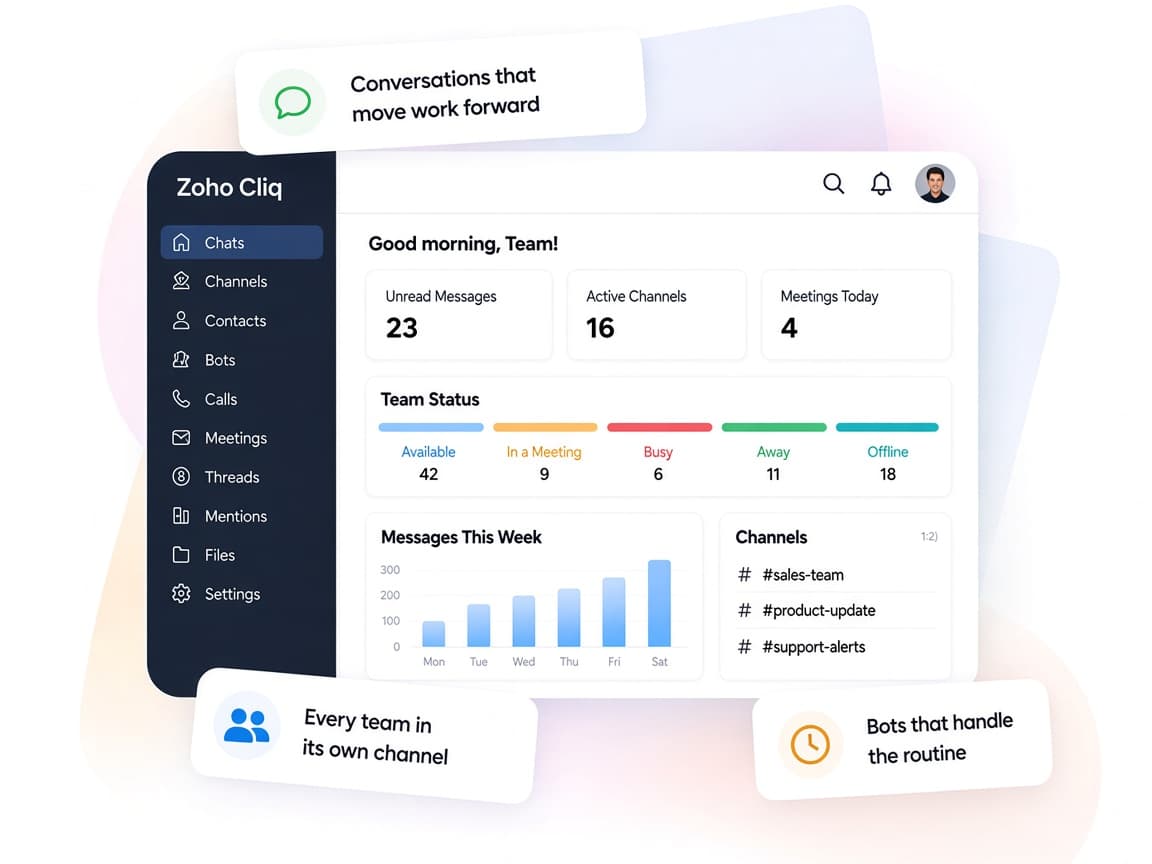
Zoho Cliq brings chats, calls and app alerts together, so teams can discuss, decide and act without hopping between tools.
- Conversations in one placeChats, channels, calls and files sit in a single app.
- Inside and outsideChannels and Networks connect staff, partners and clients.
- Shaped by your orgChannel types, permissions and sidebar layouts follow your structure.
- Context at handZia insights and search surface people, files and past discussions.
- Bots and AICustom bots and AI summaries take routine work out of chat.
- Enterprise controlsDLP, eDiscovery and IP restrictions protect company data.
FAQ
Zoho Cliqquestions, answered.
Straight answers on setup, migration, integrations and timelines before you start.
Still have questions?
Tell us about your Zoho Cliq setup and our team will get back to you.
Yes. Cliq officially supports importing Slack export files, bringing channels and conversation history across, and its migration wizard also covers Microsoft Teams, Google Chat and Meta Workplace. We plan the channel structure, run the import and help users settle in.
Yes. We build bots, slash commands, widgets and message actions on Cliq's developer platform using Deluge, so people can fetch data or trigger actions straight from chat.
Zoho apps such as CRM, Desk, Projects and People have official Cliq integrations, and the Zoho Marketplace offers extensions for tools like GitHub, Jira and Zendesk. We configure the alerts so each channel only receives what's relevant.
Cliq offers DLP policies, eDiscovery and retention, IP restrictions, role-based access and mobile device management. We configure them to your internal policies and review the settings with your IT team.
Yes. External channels and the Networks portal let you collaborate with people outside your organization while keeping internal conversations separate. We set up the structure and permissions.
This depends on the systems involved, API availability, data complexity, testing requirements and business rules. These are typical Xevort project estimates, not fixed delivery commitments.
Free Zoho consultation
Ready to get more from Zoho Cliq?
Tell us how your business works, what you want to improve, and where Zoho fits today. We'll recommend the right approach, with no obligation.
- Reply within 1 business day
- New or existing Zoho setups
- Fixed-scope proposals