
Workforce
Zoho Workerly solutions set up the way you work.
Temp staffing software for agencies that schedules temps, collects e-timesheets, applies rate rules and invoices clients through Zoho Books.
- Client Job Orders
- Temp Profiles
- Recruit Candidates
- Worker App
- Kiosk Clock-ins
- Client Portal
 Zoho WorkerlyWorkforce
- Filled Shifts
- Approved Timesheets
- Client Invoices
About Workerly
What Zoho Workerlydoes.
The core of what Zoho Workerly offers, based on Zoho's official product documentation. It follows each placement from the client's job order to the invoice, with temps and clients working through their own portals.
- QuickerPlacements
- PaperlessTimesheets
- TimelyInvoicing
01Temp scheduling
Plan shifts in weekly or monthly roster views, avoid clashes and spot empty slots before they become a problem.
- Roster View
- Shift Patterns
- Create Shift
- Bulk shifts
02Temp matching
Surface temps who fit a job by criteria, and find a replacement quickly when someone drops out.
- Criteria Search
- Find Matching Jobs
- Find Replacement
- Save Search Criteria
03Open shifts
Let temps claim unassigned shifts that fit their availability. This feature is in beta.
- Open Shifts (beta)
- Temp availability
04Time tracking
Turn phones, tablets or a shared kiosk into a time clock, with photo and location checks.
- Timers
- Geo-fencing
- Kiosk App
- Photo Logging
- Pre-Check in
05Timesheets & approvals
Generate e-timesheets, remind temps to submit and route them for client, agency or automatic approval.
- Timesheets
- Timesheet approvals
- Timesheet Reminders
- Bulk approvals
06Billing & invoicing
Price jobs by hour, day or individual shift, then invoice approved hours through Zoho Books.
- Rate Rules
- Day Rates
- Temp Based Rates
- Invoices
07Portals & mobile
Give temps and clients their own access to shifts, timesheets and job details.
- Temp Portal
- Client Portal
- Worker App
08Reports & data privacy
Track revenue and job progress, export to payroll and protect personal data with encryption.
- Revenue Reports
- Export to Payroll
- PII & Encryption
- GDPR compliance
How Xevort helps
Making Workerly work your way.
What our team can set up, customize and connect in Zoho Workerly.
Setup
Agents, roles, clients and temp records configured around how your agency takes and fills orders.
Customize
Custom fields, temp views, email templates and white-label branding on your own domain.
Automate
Workflow rules, SMS alerts, shift and timesheet reminders, and Zoho Flow steps for repeat admin.
Integrate
Workerly connected to Zoho Books, Zoho Recruit, e-signature tools and messaging providers.
Rate rules
Overtime and special rates at client and job level, plus day and shift-based billing options.
Time clock
Geofences around client sites, kiosk devices, photo clock-in and approval modes set per client.
Portals
Temp and client portals arranged so each side sees its shifts, jobs and timesheets.
Invoicing
Zoho Books linked so approved timesheets turn into client invoices with timesheet attachments.
Integrations
Connect Zoho Workerlywith the tools you use.
We can connect Workerly with other Zoho apps and the services you already use, so records move between them without anyone re-typing them.
- Native Zoho connectionsZoho apps that share data with each other out of the box.
- Delivered by XevortIntegrations our team has built on client projects.
- Officially supportedConnectors Zoho provides, set up and mapped to your process.
 Books
 Recruit
 Sign
 Flow
 DocuSign
- ASAdobe Sign
- TTwilio
- YYtel
 Vonage
- Custom API
Why choose Zoho Workerly
Temp staffing withoutthe paperwork pileup.
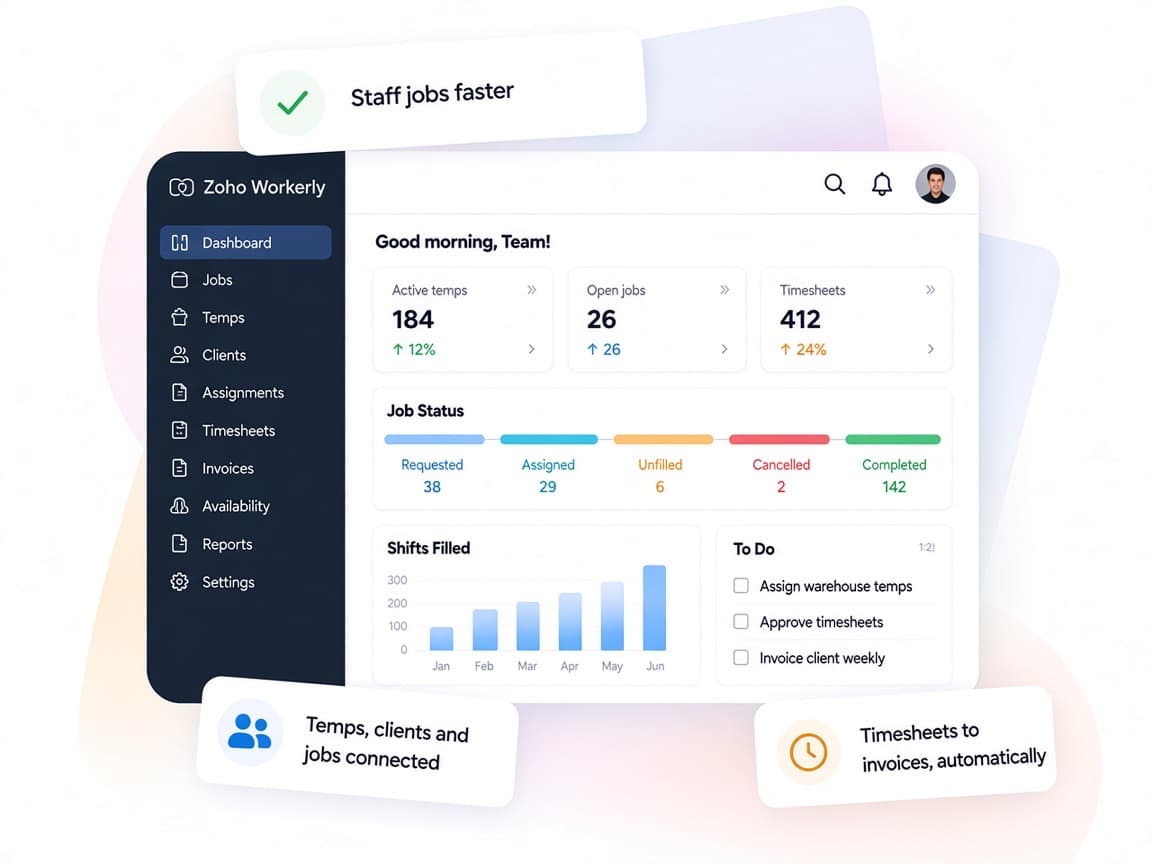
Zoho Workerly is built specifically for staffing agencies, linking scheduling, time capture and billing so details aren't lost between steps.
- One record per placementJobs, temps, shifts, timesheets and invoices connected end to end.
- Temps and clients includedPortals and a worker app let both sides act without email chains.
- Your billing termsRate rules, day rates and shift billing reflect each client agreement.
- Agency revenue viewPre-built reports on revenue by job, agent and cost basis.
- Faster matchingAI-powered search lists suitable temps for each job and replacement.
- Personal data guardedPII fields encrypted and privacy features aligned with GDPR.
FAQ
Zoho Workerlyquestions, answered.
Straight answers on setup, migration, integrations and timelines before you start.
Still have questions?
Tell us about your Zoho Workerly setup and our team will get back to you.
Workerly is made for temporary staffing agencies that schedule temps at client sites, track their hours and bill clients. Some extensions, such as Ytel and Vonage, are available only on Zoho's US data center, so we check what applies to your account first.
Yes. Workerly integrates with Zoho Books, and we set it up so approved timesheets for completed jobs generate client invoices, with the timesheet attached where you want it.
Yes. We enable the Recruit integration and map fields so candidates for temporary roles can be converted into temps in Workerly without re-entering their details.
Yes. We configure the Client Portal and approval modes so clients can review shifts, approve or reject timesheets and look up past records on their own.
Yes. We clean and import temp profiles, clients, contacts and active jobs from spreadsheets or your current system, then verify the data with your agents before go-live.
This depends on the systems involved, API availability, data complexity, testing requirements and business rules. These are typical Xevort project estimates, not fixed delivery commitments.
Free Zoho consultation
Ready to get more from Zoho Workerly?
Tell us how your business works, what you want to improve, and where Zoho fits today. We'll recommend the right approach, with no obligation.
- Reply within 1 business day
- New or existing Zoho setups
- Fixed-scope proposals