
Productivity
Zoho Sign solutions set up the way you work.
Legally binding digital signatures with reusable templates, signing workflows and audit trails, connected to the apps where documents start.
- Contracts
- Offer Letters
- Quotes
- Cloud Storage
- Web Forms
- Mobile
 Zoho SignProductivity
- Signed Documents
- Audit Trail
- Status Tracking
About Sign
What Zoho Signdoes.
The core of what Zoho Sign offers, based on Zoho's official product documentation. Documents go out, get signed and come back filed, without printing, scanning or chasing anyone by email.
- QuickerTurnaround
- PaperlessAgreements
- CompleteAudit trail
01Document preparation
Import files from your computer or cloud storage, and let text tags or automatic field detection place the fields.
- Easy import
- Text tags
- Automatic field detection
02Signing workflows
Set the signing order, add approvers, witnesses or delegates, and send reminders until every party has signed.
- Signing order
- Approval workflows
- Witness signing
- Reminders
03Signing options
Recipients can draw, type or upload a signature, sign in person, or use the mobile and desktop apps.
- In-person signing
- Mobile signing
- Bulk signing
04Templates & bulk send
Turn recurring documents into reusable templates and send one document to a long recipient list in a single step.
- Templates
- Bulk send
- SignForms
05Identity & compliance
Verify signers with OTP or ID checks, and use qualified or region-specific signatures where regulations call for them.
- SMS OTP
- Aadhaar eSign
- Qualified Electronic Signatures
- 21 CFR Part 11
06Audit & security
Every view, send and signature is logged in an audit trail, backed by AES-256 encryption and blockchain time-stamping.
- Audit trails
- Certificate of completion
- Blockchain time-stamping
07Agreement Intelligence
AI that detects fields, extracts and reviews document content, and answers quick questions about an agreement.
- Agreement Intelligence
- AI Assistant
- Document review
08Branding & embedding
Carry your logo, colors and email templates through the signing experience, and send from everyday apps or REST APIs.
- Branding
- Vernacular signing
- Embedded signing
- REST APIs
How Xevort helps
Making Sign work your way.
What our team can set up, customize and connect in Zoho Sign.
Setup
Account, users, roles, sender profiles and organization settings configured for each team.
Customize
Branded emails, logos, legal disclosures and landing pages that match your company identity.
Automate
Reminders, expiry rules and Deluge-triggered signing requests from records in other apps.
Integrate
Signing connected to CRM, Books, People, Recruit, Creator and your cloud storage.
Templates
Contracts, offers and agreements turned into templates with fields, roles and signing order preset.
SignForms
Public or embedded signing forms for waivers, consents and applications that anyone can complete.
Identity checks
OTP, ID-based verification and regional signature methods matched to your compliance needs.
Bulk send
Recipient lists and templates prepared so one document can reach many signers at once.
Integrations
Connect Zoho Signwith the tools you use.
We can connect Sign with other Zoho apps and the services you already use, so records move between them without anyone re-typing them.
- Native Zoho connectionsZoho apps that share data with each other out of the box.
- Delivered by XevortIntegrations our team has built on client projects.
- Officially supportedConnectors Zoho provides, set up and mapped to your process.















Why choose Zoho Sign
Get it signed,not stuck in an inbox.
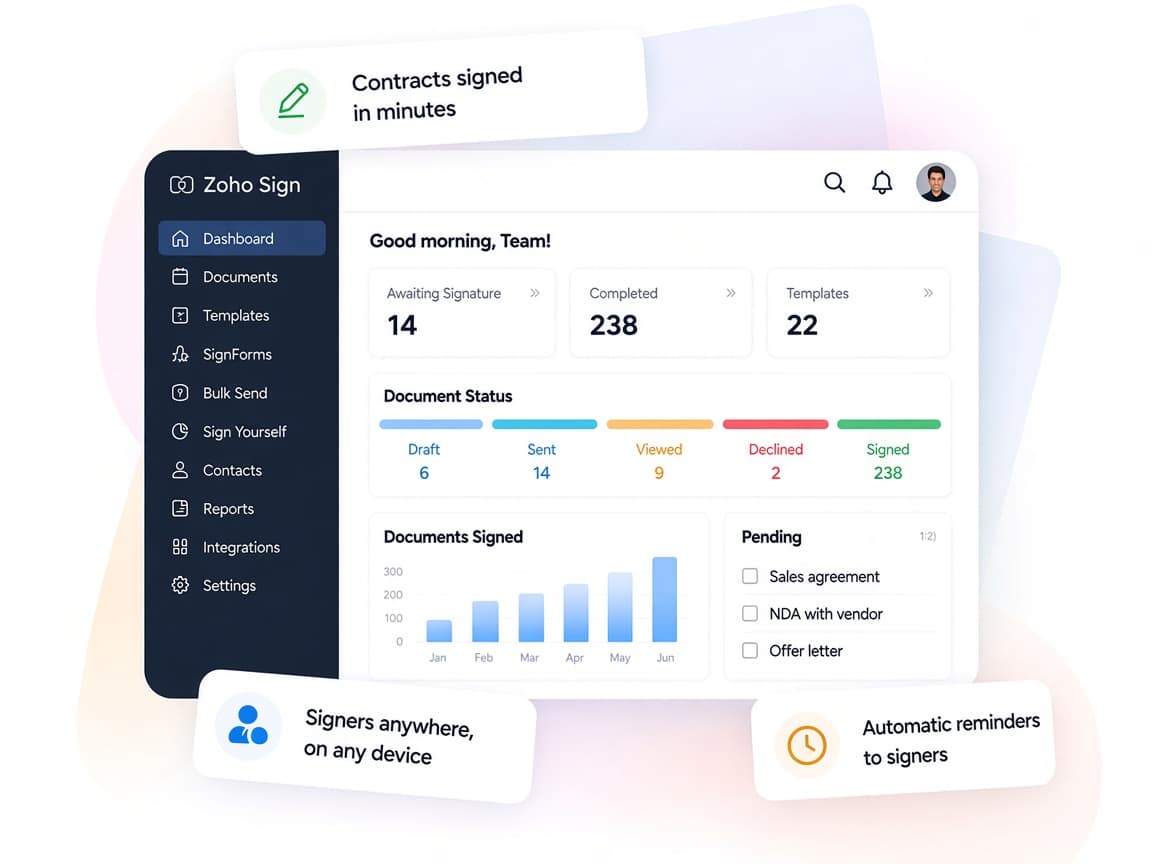
Zoho Sign replaces printed paperwork with secure digital signing that works from the apps your teams already use.
- Every document, one placeDrafts, sent and completed documents tracked together.
- Signers anywhereRecipients sign on web, mobile or in person, in their own language.
- Your signing orderApprovers, witnesses and sequence set per document type.
- Live statusSee who has viewed, signed or declined at every step.
- AI assistanceField detection and document review speed up preparation.
- Legally bindingESIGN, UETA and eIDAS compliant, with AES-256 encryption.
FAQ
Zoho Signquestions, answered.
Straight answers on setup, migration, integrations and timelines before you start.
Still have questions?
Tell us about your Zoho Sign setup and our team will get back to you.
Zoho states that documents signed with Zoho Sign are legally binding under laws such as the ESIGN Act, UETA and eIDAS, and offers regional options like Aadhaar eSign in India. We help you choose the right signature type, but specific legal requirements should be confirmed with your advisor.
Yes. We set up the Zoho Sign integrations so quotes, contracts and invoices go out for signature from CRM, Books and other Zoho apps, with the signing status visible on the record.
Yes. We convert your recurring documents into templates with text tags, signer roles, signing order and reminders, so each one can be sent in a few clicks.
Yes. We configure options such as SMS OTP and ID-based verification, plus qualified or regional signature providers where needed. Some methods depend on your Zoho Sign plan and region.
Yes. We set up embedded signing or SignForms, or use the Zoho Sign REST APIs to send documents from your own software, depending on how signers reach you.
This depends on the systems involved, API availability, data complexity, testing requirements and business rules. These are typical Xevort project estimates, not fixed delivery commitments.
Free Zoho consultation
Ready to get more from Zoho Sign?
Tell us how your business works, what you want to improve, and where Zoho fits today. We'll recommend the right approach, with no obligation.
- Reply within 1 business day
- New or existing Zoho setups
- Fixed-scope proposals