
Scheduling
Zoho Bookings solutions set up the way you work.
Online appointment scheduling with branded booking pages, routing, payments and calendar sync, so meetings land without back-and-forth.
- Website Widget
- Booking Links
- Live Chat
- Zoho CRM
- Mobile App
 Zoho BookingsScheduling
- Booked Appointments
- Collected Payments
- Booking Reports
About Bookings
What Zoho Bookingsdoes.
The core of what Zoho Bookings offers, based on Zoho's official product documentation. It replaces email ping-pong with self-service scheduling that fits your team's availability and business rules.
- FewerNo-shows
- FullerCalendars
- FasterBooking flow
01Event types
Offer one-to-one calls, group sessions, multi-host meetings or bookable rooms and equipment.
- One-on-one meeting
- Group bookings
- Collective bookings
- Resource bookings
02Scheduling rules
Control when and how often people can book, per branch, service or team member.
- Workspaces
- Service availability
- Schedules
- Appointment limits
03Booking pages
White-labeled pages on your own domain, shared as a link or embedded on your website.
- White-labeled booking page
- Customizable domain
- Website widget
04Lead routing
Qualify visitors with a form before they book and send each one to the right host.
- Routing forms
- Booking forms
05Workflows & reminders
Automated email and SMS notifications, plus custom functions that update other systems after a booking.
- Notifications & reminders
- Workflows
- Custom functions
06Connected scheduling
Two-way calendar sync, automatic video links and payment at the time of booking.
- Calendar sync
- Video conferencing
- Payments
07Reports & mobile
Appointment reports by service, staff and period, with apps and browser extensions for hosts on the move.
- Reports
- Mobile apps
- Browser extension
08Zia AI
AI drafts event types during setup, styles booking pages from your website and handles bookings via MCP.
- Onboarding AI
- Branding AI
- Conversational AI
How Xevort helps
Making Bookings work your way.
What our team can set up, customize and connect in Zoho Bookings.
Setup
Workspaces, staff, services and working hours configured for each branch or department.
Customize
Event types, booking forms, buffer rules and notification templates written in your brand voice.
Automate
Reminder and follow-up workflows, plus custom functions that update records after each booking.
Integrate
Bookings connected to Zoho CRM or Bigin, SalesIQ, Desk and Books so every meeting has context.
Booking pages
White-labeled pages on your domain and widgets embedded on your website or Zoho Sites.
Routing forms
Qualifying questions that send each visitor to the right rep, service or team.
Payments
Stripe, PayPal, Razorpay or another supported gateway set up so customers pay when they book.
Calendar sync
Google, Outlook or Zoho Calendar and video tools linked for every host to prevent double-booking.
Integrations
Connect Zoho Bookingswith the tools you use.
We can connect Bookings with other Zoho apps and the services you already use, so records move between them without anyone re-typing them.
- Native Zoho connectionsZoho apps that share data with each other out of the box.
- Delivered by XevortIntegrations our team has built on client projects.
- Officially supportedConnectors Zoho provides, set up and mapped to your process.


















Why choose Zoho Bookings
Customers book any time,your rules still apply.
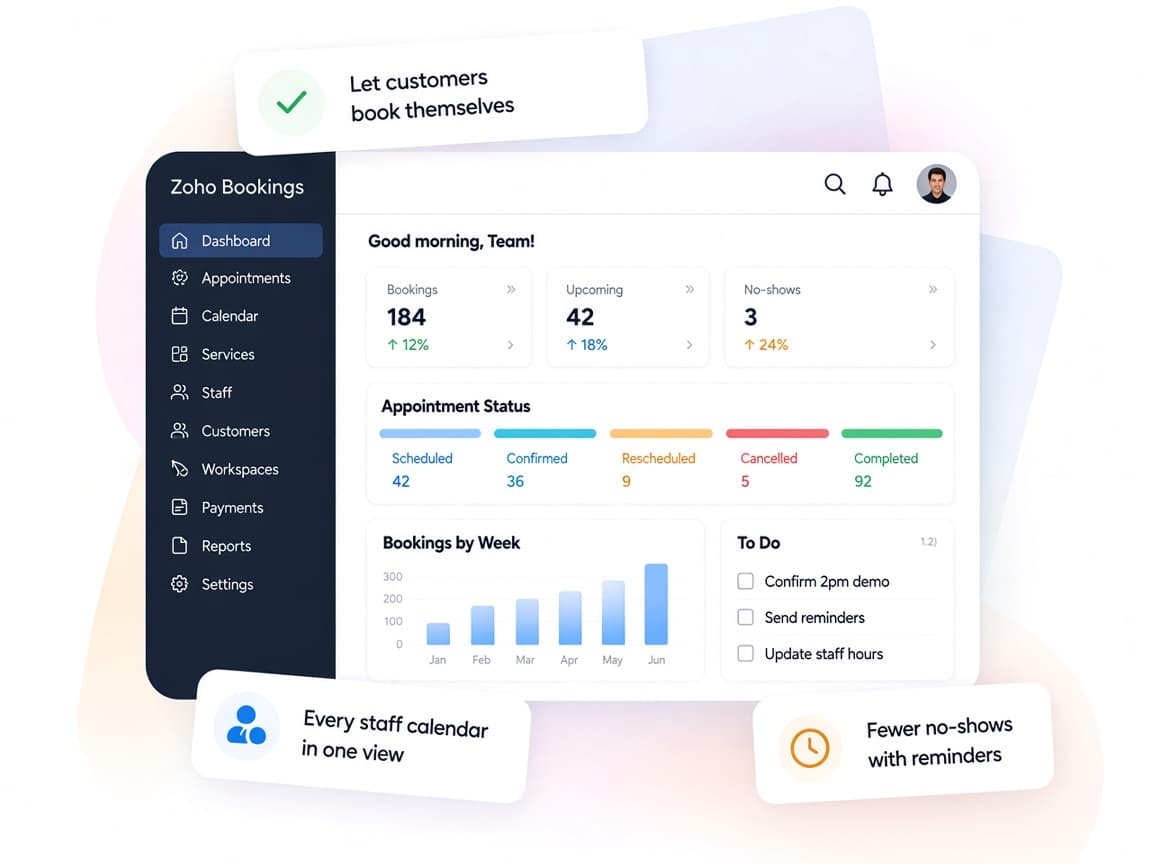
Zoho Bookings gives customers a simple way to pick a time and pay, while your team keeps control over availability, routing and follow-up.
- Book, pay, remindScheduling, payments and reminders handled in one flow.
- Team schedulingWorkspaces and roles for branches, departments and hosts.
- Your booking rulesLimits, buffers and routing follow how you work.
- Booking reportsAppointments by service, staff and period at a glance.
- AI setupZia drafts event types and styles pages from your site.
- Granular accessUser roles and permissions limit who sees which calendars.
FAQ
Zoho Bookingsquestions, answered.
Straight answers on setup, migration, integrations and timelines before you start.
Still have questions?
Tell us about your Zoho Bookings setup and our team will get back to you.
Yes. Zoho Bookings offers two-way sync with Google and Outlook calendars, as well as Zoho Calendar. We connect each host's calendar and test for conflicts before going live.
Yes. We set up the Zoho CRM or Bigin integration so appointments are logged against the right lead or contact, and add custom functions if you need extra fields updated.
Yes. Zoho Bookings supports Stripe, PayPal, Razorpay, Authorize.Net and other gateways. We configure pricing per service and test the payment flow.
Yes. We build routing forms with qualifying questions so each visitor is sent to the right host or team before choosing a slot.
Yes. We set up a white-labeled booking page on your domain, match your branding and embed the booking widget on your website or Zoho Sites.
This depends on the systems involved, API availability, data complexity, testing requirements and business rules. These are typical Xevort project estimates, not fixed delivery commitments.
Free Zoho consultation
Ready to get more from Zoho Bookings?
Tell us how your business works, what you want to improve, and where Zoho fits today. We'll recommend the right approach, with no obligation.
- Reply within 1 business day
- New or existing Zoho setups
- Fixed-scope proposals