
Finance
Zoho Invoice solutions set up the way you work.
Free online invoicing with quotes, payment gateways, time billing and a client portal, set up for the way you bill clients.
- Customers
- Quotes
- Timesheets
- Expenses
- Items
 Zoho InvoiceFinance
- Invoices
- Online Payments
- Reports
About Invoice
What Zoho Invoicedoes.
The core of what Zoho Invoice offers, based on Zoho's official product documentation. It covers the full billing cycle for service businesses, from the first quote to the final payment receipt.
- QuickerPayments
- BrandedInvoices
- FewerLate reminders
01Invoicing
Send invoices now or on a future date, repeat them on a schedule and write them in your customer's language.
- Recurring invoices
- Scheduled invoices
- Multilingual invoices
02Quotes
Share priced proposals with an expiry date, then turn the accepted ones into invoices or projects.
- Quote expiry
- Convert to invoice
- Create projects from quotes
03Online payments
Accept card and online payments through supported gateways, and record cash or check payments too.
- Payment gateways
- Auto-charge
- Offline payments
- Credit notes
04Collections
Automated nudges and account statements keep overdue balances visible to the customer.
- Payment reminders
- Customer statements
- Unpaid invoice lists
05Expenses & mileage
Log reimbursable costs and miles against a client and add them to the next invoice.
- Billable expenses
- Mileage tracking
- Expense categories
06Projects & timesheets
Track hours by project or task and invoice the unbilled time in a single step.
- Time tracking
- Project billing
- Unbilled hours
07Templates & branding
Pick from a template gallery and match invoices, quotes and receipts to your brand.
- Template gallery
- Custom fields
- Payment receipts
08Client portal & team
Clients view, approve and pay in one place, while roles control what each teammate can see.
- Customer portal
- Customer reviews
- Users & roles
How Xevort helps
Making Invoice work your way.
What our team can set up, customize and connect in Zoho Invoice.
Setup
Organization details, currencies, taxes, items and customer records loaded so you can bill from day one.
Customize
Custom fields on quotes, invoices and receipts, plus templates assigned to specific customers.
Automate
Recurring profiles, auto-charge and reminder schedules tuned to your payment terms.
Integrate
Invoice connected to CRM, Projects, Expense and your messaging tools so client data isn't re-keyed.
Templates
Invoice, quote and receipt designs with your logo, colors, item table layout and terms.
Online payments
Payment gateways chosen for your region and currencies, tested end to end before clients use them.
Time billing
Projects, tasks and billing methods set up so tracked hours turn into accurate invoices.
Client portal
A self-service portal where clients accept quotes, see timesheets and settle invoices in bulk.
Integrations
Connect Zoho Invoicewith the tools you use.
We can connect Invoice with other Zoho apps and the services you already use, so records move between them without anyone re-typing them.
- Native Zoho connectionsZoho apps that share data with each other out of the box.
- Delivered by XevortIntegrations our team has built on client projects.
- Officially supportedConnectors Zoho provides, set up and mapped to your process.


















Why choose Zoho Invoice
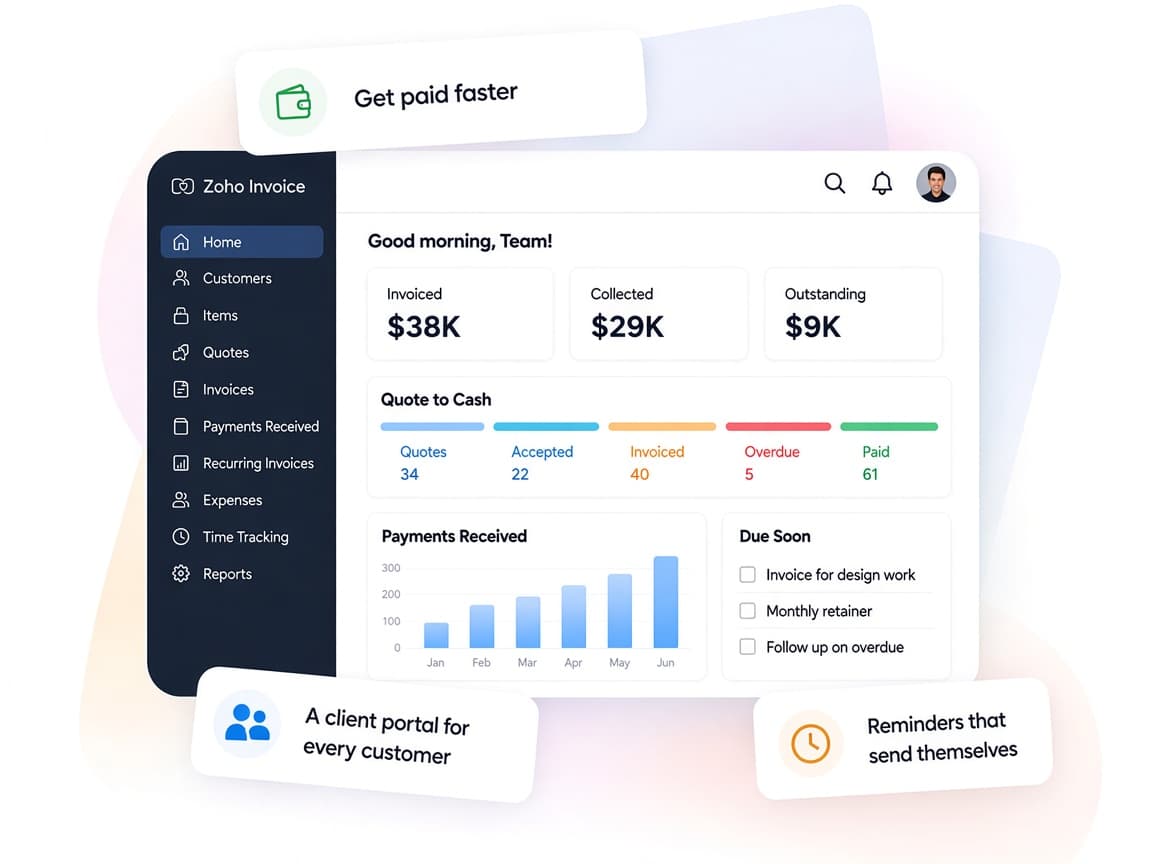
Invoicing that getsyou paid faster.
Zoho Invoice lets freelancers and small firms send professional bills, accept payments online and chase dues automatically, at no cost.
- Quote to cashQuotes, invoices, payments and receipts in one flow.
- Clients in the loopA portal where clients approve, comment and pay.
- Fits how you billBill by project hours, task hours, items or fixed fees.
- Know who owes whatDashboards and reports on sales, receivables and payments.
- Hands-off remindersRecurring invoices, auto-charge and reminders run on schedule.
- Controlled accessRoles that limit users to specific customers and actions.
FAQ
Zoho Invoicequestions, answered.
Straight answers on setup, migration, integrations and timelines before you start.
Still have questions?
Tell us about your Zoho Invoice setup and our team will get back to you.
Zoho lists Zoho Invoice as free to use. We check the current terms and usage limits on Zoho's site with you, and our fee covers only the setup, customization and integration work.
If you need bills, banking, inventory or full accounting, Zoho Books is the better fit. Zoho documents a migration path from Zoho Invoice to Books, and we plan and run that move for you.
Yes. We connect a supported gateway such as Zoho Payments, Stripe, PayPal or Razorpay, enable payment links on invoices and the client portal, and test payments before launch.
Yes. We customize invoice, quote and receipt templates with your logo, colors, fields and terms, and can assign different templates to different customers.
Yes. We set up projects, tasks and billing methods so tracked hours and billable expenses can be added to invoices without retyping them.
This depends on the systems involved, API availability, data complexity, testing requirements and business rules. These are typical Xevort project estimates, not fixed delivery commitments.
Free Zoho consultation
Ready to get more from Zoho Invoice?
Tell us how your business works, what you want to improve, and where Zoho fits today. We'll recommend the right approach, with no obligation.
- Reply within 1 business day
- New or existing Zoho setups
- Fixed-scope proposals