
Operations
Zoho FSM solutions set up the way you work.
Field service management covering requests, scheduling, dispatch, technician mobile work and invoicing, configured for your service operations.
- Phone
- Webforms
- CRM Deals
- Help Desk
 Zoho FSMOperations
- Scheduled Jobs
- Service Reports
- Invoices
About FSM
What Zoho FSMdoes.
The core of what Zoho FSM offers, based on Zoho's official product documentation. It follows each job from the first request to the final invoice, keeping office staff and technicians in step.
- SmarterDispatch
- QuickerJob closure
- PromptInvoicing
01Customers & assets
Keep contacts, companies and their equipment on file with full service history and maintenance plans.
- Contacts
- Companies
- Assets
02Requests & estimates
Collect service requests from several channels and send customizable cost estimates for approval.
- Requests
- Estimates
- Webforms
03Work orders
Convert approved jobs into work orders with appointments, multiple agents and recurring visits.
- Work Orders
- Service Appointments
- Scheduled Maintenance
04Schedule & dispatch
Plan the day on a visual console, see technicians on a live map and drag jobs to the nearest agent.
- Dispatch Console
- Gantt view
- Live location tracking
05Mobile workforce
Technicians get jobs, directions, checklists and customer sign-off on Android and iOS.
- Zoho FSM mobile app
- Job Sheets
- Service Reports
- Trips
06Workforce management
Define roles for dispatchers and field agents, match jobs to skills and track working hours.
- Profiles
- Skills
- Time Sheets
07Invoicing & payments
Raise branded invoices from completed work and collect online or on-site payments in multiple currencies.
- Built-in invoicing
- Payment gateways
- Multi-currency
08Automation
Rules that notify customers, update records and pass data to other systems without manual effort.
- Workflow rules
- Time-based rules
- Webhooks
- Functions
How Xevort helps
Making FSM work your way.
What our team can set up, customize and connect in Zoho FSM.
Setup
Organization settings, services, parts, taxes and user profiles set up from your service catalog.
Customize
Custom fields, layouts, PDF templates and multilingual settings tailored to your industry.
Automate
Workflow and time-based rules, email and WhatsApp notifications, webhooks and Deluge functions.
Integrate
FSM linked to CRM or Bigin for sales handoff, Desk for on-site support and Books for billing.
Dispatch
Skills, profiles and dispatch console views configured so jobs reach the right technician.
Mobile app
Technician app rollout with job details, navigation, photos, notes and customer signatures.
Job sheets
Digital checklists and reading forms that standardize on-site work and feed service reports.
Invoicing
Invoice templates, taxes and payment gateways so completed work turns into revenue quickly.
Integrations
Connect Zoho FSMwith the tools you use.
We can connect FSM with other Zoho apps and the services you already use, so records move between them without anyone re-typing them.
- Native Zoho connectionsZoho apps that share data with each other out of the box.
- Delivered by XevortIntegrations our team has built on client projects.
- Officially supportedConnectors Zoho provides, set up and mapped to your process.










Why choose Zoho FSM
Field work that runson schedule.
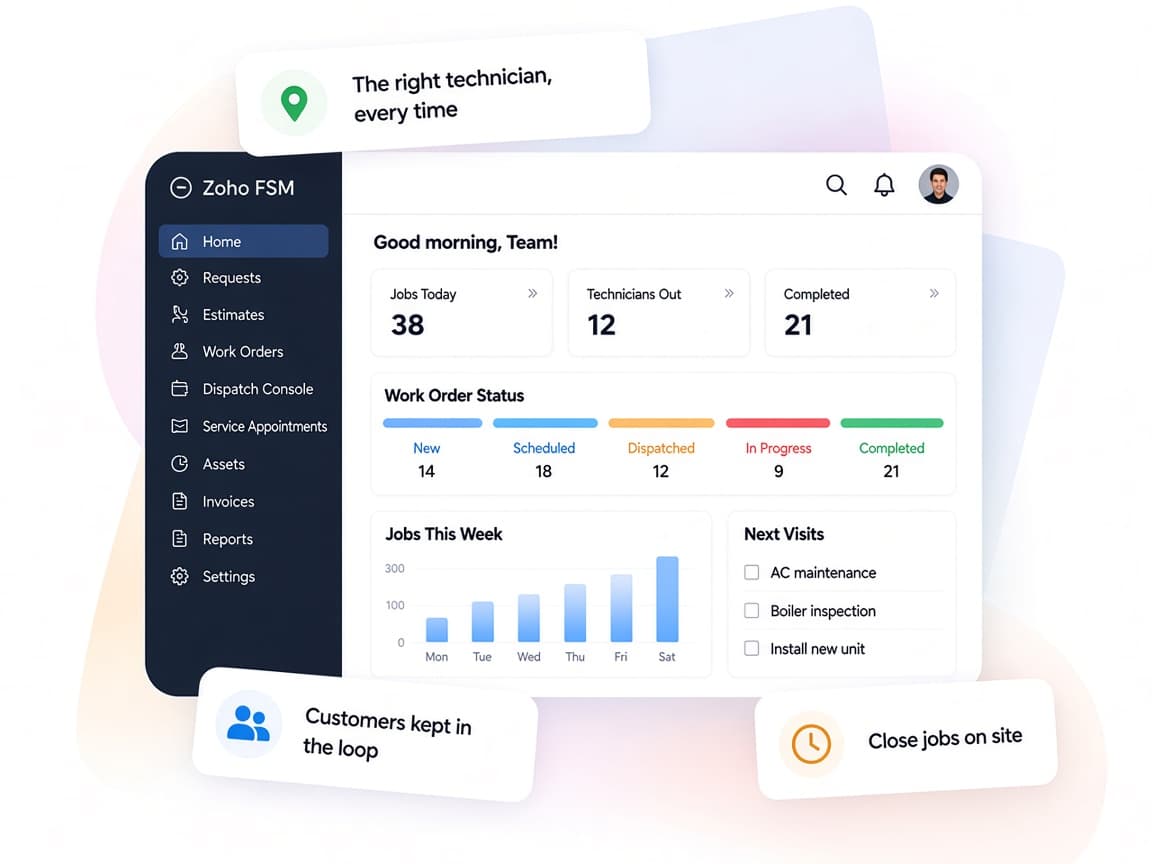
Zoho FSM gives dispatchers, technicians and billing staff one platform, so every visit is planned, documented and invoiced without paper.
- Request to invoiceRequests, estimates, work orders and invoices on one connected record.
- Office and field in syncDispatchers see live locations while technicians get updates on mobile.
- Built for your servicesJob sheets, skills and maintenance plans set up for your industry.
- Service visibilityReports and dashboards on jobs, technician time and billing.
- Automated updatesWorkflow rules send customer notifications and update records for you.
- Protected dataEncryption, role-based access and audit logs for secure operations.
FAQ
Zoho FSMquestions, answered.
Straight answers on setup, migration, integrations and timelines before you start.
Still have questions?
Tell us about your Zoho FSM setup and our team will get back to you.
Yes. We set up services, parts, custom fields, profiles, skills and job sheets around the work your technicians do, and use Deluge functions for rules the standard settings do not cover.
Yes. Zoho FSM integrates with both, so sales and service share customer data. We configure the handoff so closed deals or new service needs create the right records in FSM.
The Zoho FSM app lets technicians view appointments, navigate to job sites, fill job sheets, add notes and photos, collect signatures on service reports and record payments. We configure the app experience and train your field team.
FSM uses its Zoho Invoice or Zoho Books integration for branded invoices, taxes and online payments through gateways such as Stripe, PayPal and Razorpay. We set up templates, taxes and gateways for your regions.
Yes. We import contacts, companies, assets and relevant job history from spreadsheets or your current system, and verify the data with your team before go-live.
This depends on the systems involved, API availability, data complexity, testing requirements and business rules. These are typical Xevort project estimates, not fixed delivery commitments.
Free Zoho consultation
Ready to get more from Zoho FSM?
Tell us how your business works, what you want to improve, and where Zoho fits today. We'll recommend the right approach, with no obligation.
- Reply within 1 business day
- New or existing Zoho setups
- Fixed-scope proposals