
Operations
Zoho Inventory solutions set up the way you work.
Stock control across warehouses and sales channels, with purchasing, fulfillment and shipping set up around how your goods actually move.
- Online Store
- Marketplaces
- Sales Orders
- Purchase Orders
- Warehouses
- Mobile Scans
 Zoho InventoryOperations
- Live Stock
- Shipments
- Inventory Reports
About Inventory
What Zoho Inventorydoes.
The core of what Zoho Inventory offers, based on Zoho's official product documentation. It connects purchasing, warehousing and order fulfillment so stock figures stay correct wherever you sell.
- AccurateStock counts
- FasterFulfillment
- FewerStockouts
01Item management
Organize products by attributes, bundle them into assemblies and keep pricing consistent for each customer group.
- Item Groups
- Composite Items
- SKU generator
- Price Lists
02Warehousing
Hold stock in several locations, move it between them and guide pickers to the exact shelf.
- Multi-warehouse
- Transfer orders
- Bin Locations
- Picklists
03Stock tracking
Follow individual units or batches with expiry dates, and get warned before an item runs low.
- Serial tracking
- Batch tracking
- Barcode scanning
- Reorder points
04Order management
Turn confirmed sales orders into invoices, handle returns and keep backorders moving when stock is short.
- Sales orders
- Invoicing
- Sales returns
- Backorders
05Fulfillment & shipping
Pack, label and dispatch orders with live carrier rates, then keep buyers updated after the parcel leaves.
- Packaging and shipping
- Post-shipment tracking
- Dropshipments
- Package geometry
06Purchasing
Raise purchase orders, record what arrives and settle vendor bills from the same place.
- Purchase orders
- Purchase receives
- Vendor price lists
- Vendor payments
07Multichannel selling
Pull orders from marketplaces and online stores into one queue while stock levels update on every channel.
- Amazon
- eBay
- Etsy
- Shopify
08Automation & Zia
Rule-based alerts and field updates, Deluge functions, and an AI assistant that answers stock questions in plain English.
- Email and field update
- Webhooks and custom functions
- Ask Zia
- Blueprint generator
How Xevort helps
Making Inventory work your way.
What our team can set up, customize and connect in Zoho Inventory.
Setup
Items, units, warehouses, users and preferences configured from your current catalog and stock process.
Customize
Custom fields, PDF templates for invoices and packing slips, and item attributes that match how you describe products.
Automate
Reorder alerts, workflow rules, webhooks and Deluge custom functions for stock logic beyond standard settings.
Integrate
Inventory linked to Books, CRM, your online stores and carriers so orders and stock stay in sync.
Warehouses
Locations, bin structure, transfer orders and picklists arranged around your physical storage layout.
Sales channels
Marketplace and store connections with SKU mapping, so channel orders arrive cleanly and stock updates go back out.
Shipping
Carrier accounts, package dimensions and shipping label setup for faster dispatch and tracking updates.
Data migration
Items, opening stock, serial and batch numbers, customers and vendors imported and reconciled before go-live.
Integrations
Connect Zoho Inventorywith the tools you use.
We can connect Inventory with other Zoho apps and the services you already use, so records move between them without anyone re-typing them.
- Native Zoho connectionsZoho apps that share data with each other out of the box.
- Delivered by XevortIntegrations our team has built on client projects.
- Officially supportedConnectors Zoho provides, set up and mapped to your process.










Why choose Zoho Inventory
Stock you can trust,across every channel.
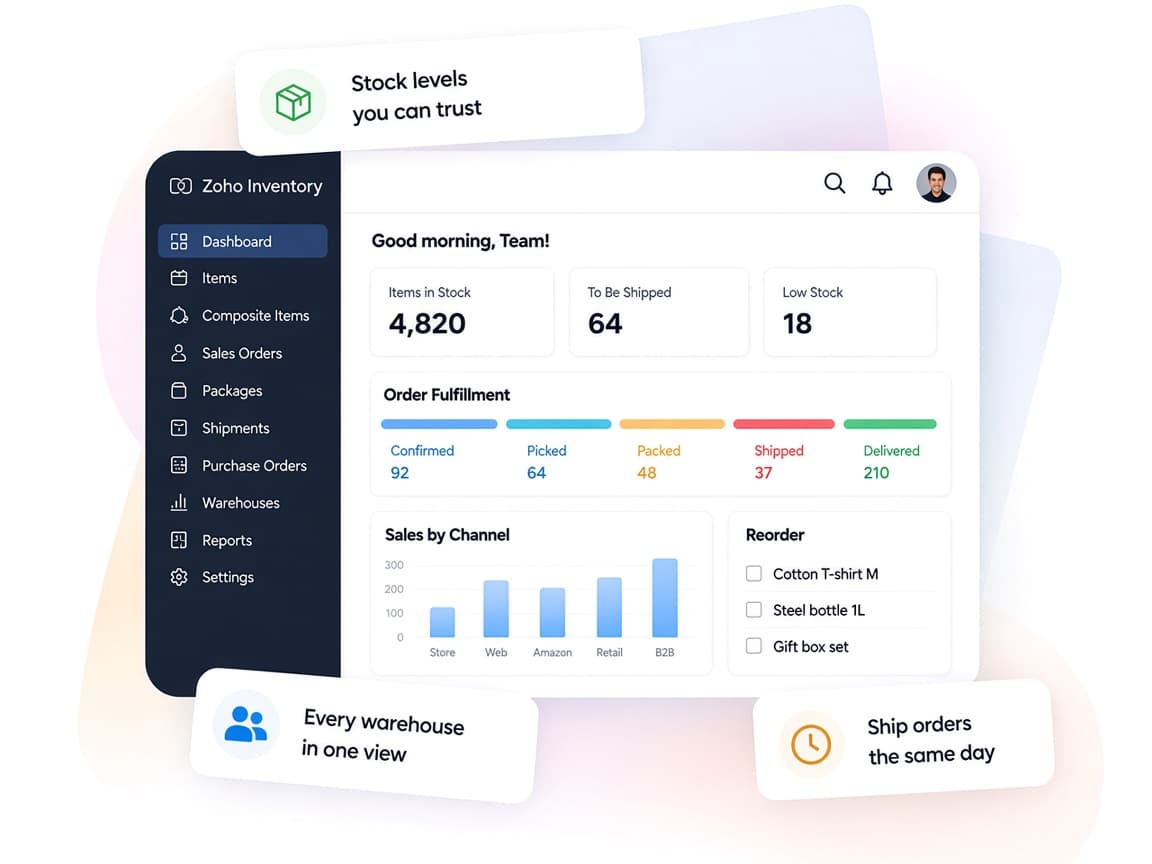
Zoho Inventory keeps items, orders and warehouses on one record, so purchasing, packing and selling all work from the same numbers.
- One stock ledgerItems, warehouses, orders and vendors share a single source of stock data.
- Sales and warehouse alignedPicklists, packages and shipments keep floor staff and sales on the same page.
- Fits how you fulfillDropshipping, backorders, assemblies and bins configured for your flow.
- Clear stock reportsInventory, sales and purchase reports that show what is moving and what is not.
- Less manual entryWorkflow rules, barcode scanning and Zia cut routine data work.
- Controlled accessUser roles limit who can adjust stock, approve orders or see costs.
FAQ
Zoho Inventoryquestions, answered.
Straight answers on setup, migration, integrations and timelines before you start.
Still have questions?
Tell us about your Zoho Inventory setup and our team will get back to you.
Yes. We create your warehouse locations, bin structure and transfer order process, and set which location each sales channel draws stock from.
Yes. Zoho Inventory has native sales channel integrations including Amazon, Etsy, eBay and Shopify, and we can connect WooCommerce as well. Some channels are region-specific, so we confirm availability for your edition and handle SKU mapping before switching sync on.
Yes. We clean and import items, item groups, opening stock, serial or batch numbers, customers and vendors, then reconcile quantities with you before go-live.
Yes. We connect Inventory with Zoho Books so invoices, bills and stock movements flow into your accounts, and set up CRM sync if your sales team needs stock visibility.
Yes. We set reorder points, workflow rules for email alerts and field updates, and Deluge custom functions or webhooks when the logic needs to reach another system.
This depends on the systems involved, API availability, data complexity, testing requirements and business rules. These are typical Xevort project estimates, not fixed delivery commitments.
Free Zoho consultation
Ready to get more from Zoho Inventory?
Tell us how your business works, what you want to improve, and where Zoho fits today. We'll recommend the right approach, with no obligation.
- Reply within 1 business day
- New or existing Zoho setups
- Fixed-scope proposals