
Projects & Collaboration
Zoho Projects solutions set up the way you work.
Task planning, Gantt charts, Blueprint workflows, timesheets and budgets, set up so every project runs on a shared, visible plan.
- CRM Deals
- Forms
- Support Tickets
- Templates
- Calendar
 Zoho ProjectsProjects & Collaboration
- Task Boards
- Timesheets
- Invoices
About Projects
What Zoho Projectsdoes.
The core of what Zoho Projects offers, based on Zoho's official product documentation. Plans, tasks, people and logged hours share one workspace, so managers can see each project's status and cost.
- ClearerProject plans
- FewerMissed deadlines
- AccurateBillable hours
01Work breakdown
Split projects into milestones, task lists, tasks and subtasks, then view them as lists or Kanban boards.
- Milestones
- Task lists
- Kanban board
- Recurrence
02Gantt & scheduling
Map dependencies, spot the critical path and compare progress against saved baselines.
- Gantt chart
- Dependencies
- Critical tasks
- Project baseline
03Issue tracking
Log bugs, route them to the right person and escalate anything that breaches its SLA.
- Issue management
- SLAs
- Business rules
04Workflow automation
Move tasks through defined statuses and trigger field updates, alerts or webhooks without manual follow-up.
- Blueprint
- Workflow rules
- Webhooks
- Custom functions
05Time & budgets
Log hours with timers or timesheets, approve entries and compare planned against actual cost.
- Timesheet
- Timers
- Budgeting
- Earned value management
06Zia AI
Generate tasks from a project description, summarize long comment threads and ask Zia for project details.
- Task creation
- Summarize
- Ask Zia
- MCP
07Customization
Tailor layouts, fields, statuses and modules to your industry, and try changes in a sandbox first.
- Layouts
- Custom fields
- Custom modules
- Sandbox
08Collaboration & clients
Keep discussion next to the work with feeds, chat and forums, and invite clients with controlled access.
- Feeds
- Forums
- Documents
- Client users
How Xevort helps
Making Projects work your way.
What our team can set up, customize and connect in Zoho Projects.
Setup
Portal, users, profiles, roles and project groups configured around how your teams deliver work.
Customize
Project, task and issue layouts, custom fields, statuses and templates that match your delivery method.
Automate
Blueprint transitions, workflow rules, SLAs and Deluge custom functions for the logic your process needs.
Integrate
Projects linked with CRM, Books, Desk and WorkDrive, plus GitHub, Slack or Google tools your team already uses.
Data migration
Projects, tasks and users moved from Jira, Basecamp, Microsoft Project or spreadsheets and checked before go-live.
Time & billing
Timesheet approvals, billing rates and invoicing through Zoho Books or Zoho Invoice from logged hours.
Budget tracking
Project budgets, cost rates and planned versus actual reports, so overruns surface early.
Client access
Client users given access to only the projects, tasks and documents they should see.
Integrations
Connect Zoho Projectswith the tools you use.
We can connect Projects with other Zoho apps and the services you already use, so records move between them without anyone re-typing them.
- Native Zoho connectionsZoho apps that share data with each other out of the box.
- Delivered by XevortIntegrations our team has built on client projects.
- Officially supportedConnectors Zoho provides, set up and mapped to your process.

















Why choose Zoho Projects
One project plan,visible to everyone.
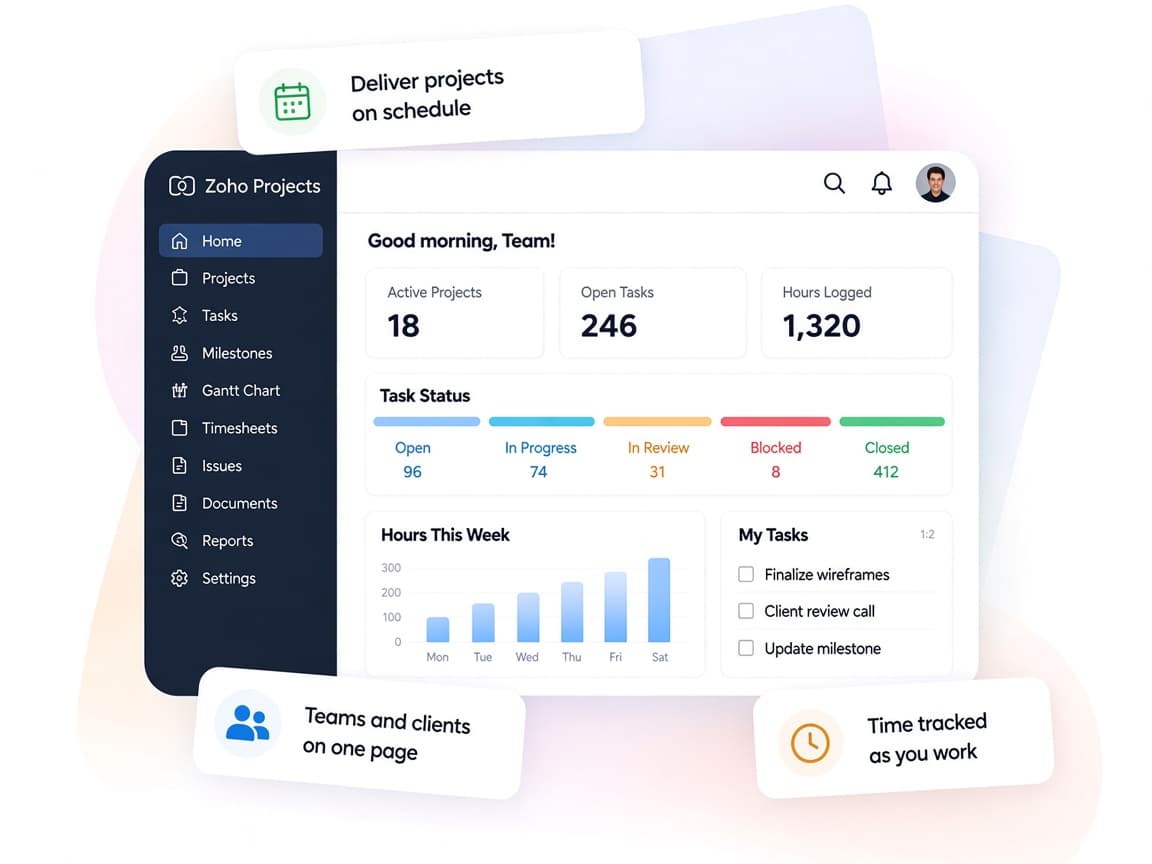
Zoho Projects connects planning, execution and billing, so managers can see where every task, hour and dollar stands.
- One project hubTasks, issues, documents and timesheets for every project in one portal.
- Teams in syncFeeds, chat and forums keep conversations attached to the work.
- Your delivery methodLayouts, statuses and Blueprint mirror how your team actually works.
- Live project healthPortfolio dashboards and budget reports show status at a glance.
- Less manual trackingWorkflow rules and Zia handle updates, summaries and reminders.
- Controlled accessProfiles, roles and client users decide who sees what.
FAQ
Zoho Projectsquestions, answered.
Straight answers on setup, migration, integrations and timelines before you start.
Still have questions?
Tell us about your Zoho Projects setup and our team will get back to you.
Yes. Zoho Projects has official import options for Jira Cloud, Basecamp and Microsoft Project. We plan the mapping, run the import, bring in anything kept in spreadsheets and check users, tasks and dates before your team switches over.
Yes. We design Blueprint transitions, workflow rules, business rules and SLAs around your approval steps, and write Deluge custom functions where the built-in options stop.
Yes. Logged hours can be invoiced through the official Zoho Books or Zoho Invoice integration. We configure billing rates, timesheet approvals and the invoicing flow so billable time isn't missed.
Yes. Zoho Projects integrates with Zoho Sprints for hybrid projects, so classic and agile teams can sync projects, tasks, hours and users. We set up the mapping and the reports each team needs.
Yes. After testing the setup, we run role-based training for admins, project managers and contributors, and share short guides for everyday tasks.
This depends on the systems involved, API availability, data complexity, testing requirements and business rules. These are typical Xevort project estimates, not fixed delivery commitments.
Free Zoho consultation
Ready to get more from Zoho Projects?
Tell us how your business works, what you want to improve, and where Zoho fits today. We'll recommend the right approach, with no obligation.
- Reply within 1 business day
- New or existing Zoho setups
- Fixed-scope proposals