Cloud & DevOps
Cloud Infrastructure for Startups: 8 Foundations to Get Right Early
Environments, access, secrets, automation, backups, monitoring and cost visibility: the boring basics that save startups from expensive rebuilds later.

Xevort Team
Zoho & technology experts

Getting cloud infrastructure for startups right doesn't mean copying a big-company platform. It means putting a handful of foundations in place early: separate environments, sensible access control, managed secrets, automated deployments, backups, monitoring and cost visibility. They are cheap to set up early and expensive to retrofit later. This guide explains the eight foundations we recommend, what each one protects you from, and a simple starter approach on AWS, Azure or Google Cloud.
It's written for founders, CTOs and small tech teams who want a calm, scalable base without hiring a dedicated platform team. We also cover a practical maturity path, the most common mistakes, and answers to common questions.
Quick Answer
What cloud infrastructure does a startup need early on?
A startup needs eight cloud foundations early: separate production and non-production environments, individual identities with least privilege and MFA, a managed secrets store, infrastructure as code, a CI/CD pipeline, tested backups with a recovery plan, monitoring with actionable alerts, and cost visibility through tags and budgets. Together they keep releases safe, incidents diagnosable and bills predictable as the product grows.
Key Takeaways
- Foundations are far cheaper to set up with ten resources than to retrofit with a thousand.
- Isolating production from everything else is the most valuable early infrastructure decision.
- Automating infrastructure and deployments makes changes repeatable, reviewable and reversible.
- Backups, alerts and budgets only count if someone owns them and has tested them.
Why Cloud Foundations Matter for Startups
Early-stage teams usually postpone DevOps until something hurts: a production database edited by mistake, a leaked API key, or a surprise invoice. By then, the fix means migrating live systems, which is slower and riskier than doing it right from the start.
The major cloud providers all publish guidance on this. The AWS Well-Architected Framework is organized into six pillars: operational excellence, security, reliability, performance efficiency, cost optimization and sustainability. The Azure Well-Architected Framework and Google Cloud's Well-Architected Framework cover similar ground.
These frameworks are written for systems of every size, so a startup doesn't need all of it on day one. Google's framework itself recommends starting simple, using fully managed services where feasible, and resisting over-engineering. The eight foundations below are the subset that prevents the most painful early problems.
The 8 Foundations of Cloud Infrastructure for Startups
1. Separate Environments and Accounts
Production should live in its own isolated space, away from development and testing. On AWS that means separate accounts managed through AWS Organizations, which AWS itself recommends for separating production from test and development workloads. On Azure, use separate subscriptions; on Google Cloud, separate projects under one organization.
Start with at least two environments: production and staging. This limits the blast radius of mistakes, keeps permissions simpler and makes billing easier to read.
2. Identity and Least Privilege
Every person gets their own login, with no shared accounts. Turn on multi-factor authentication, lock away the root or owner credentials, and register them to a group email address rather than one person's inbox.
Grant access through roles and groups, not one-off permissions, and give each person only what their job needs. Single sign-on through AWS IAM Identity Center, Microsoft Entra ID or Google Cloud IAM with your workspace identities makes offboarding a single step. Applications should use their own roles or service accounts, never a human's credentials.
3. Secrets Management
API keys, database passwords and tokens don't belong in code, Git history, environment files shared over chat or spreadsheets. Use a managed store such as AWS Secrets Manager, Azure Key Vault or Google Cloud Secret Manager.
Applications read secrets at runtime using their own identity. Keep separate secrets per environment, restrict who can read production values, and rotate credentials whenever someone with access leaves.
4. Infrastructure as Code
Infrastructure as code (IaC) describes your servers, databases, networks and permissions in version-controlled files instead of console clicks. Common options include Terraform or OpenTofu, AWS CloudFormation or CDK, Azure Bicep and Pulumi.
With IaC, changes are reviewed like application code, staging can be rebuilt to match production, and recovering from a mistake is far faster. Start by codifying the core: network, database, app hosting and DNS.
5. CI/CD Pipelines
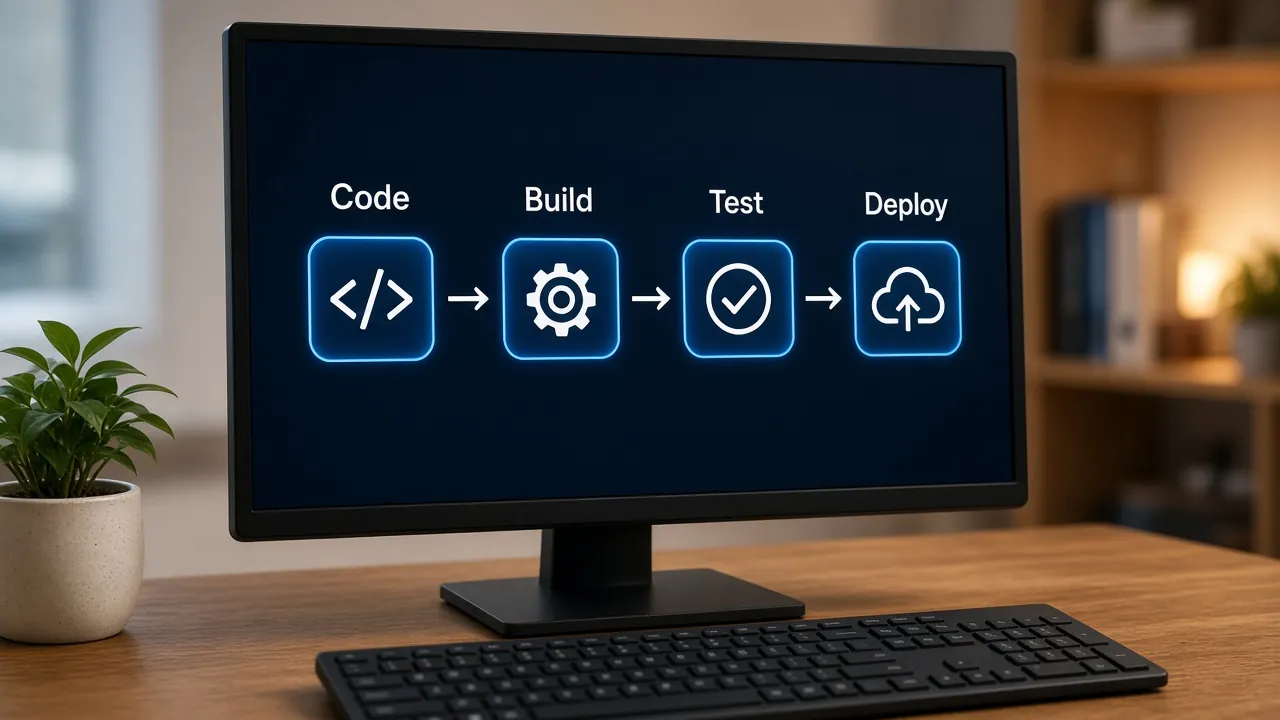
A CI/CD pipeline builds and tests every change automatically, deploys to staging, and promotes to production after an approval. It removes manual release steps and the mistakes that come with them.
Where possible, let the pipeline authenticate to your cloud with short-lived tokens via OpenID Connect rather than long-lived access keys. Our guide to CI/CD for small teams walks through a simple starter pipeline step by step.
6. Backups and Disaster Recovery
Decide two numbers with the business: the recovery point objective (RPO), or how much data you can afford to lose, and the recovery time objective (RTO), or how long you can afford to be down. These drive every backup decision.
Turn on automated backups and point-in-time recovery for managed databases, copy critical backups to a separate account or region, and run a restore test at least quarterly. A backup that has never been restored is a hope, not a plan.
7. Monitoring, Logging and Alerts
Centralize logs and metrics using Amazon CloudWatch, Azure Monitor, Google Cloud Observability or a third-party platform. Add uptime checks and error tracking so you hear about problems before customers do.
Alert on symptoms users feel, such as errors, latency and failed jobs, and route alerts to a channel someone watches. For user-facing speed, pair server metrics with front-end measurements like those in our guide to faster web experiences and Core Web Vitals.
8. Cost Visibility
Tag or label every resource with at least environment, owner and project, and set a monthly budget with alerts at sensible thresholds. Review the bill monthly so growth is intentional rather than accidental.
Cost visibility is much easier to build in from day one than to reconstruct later. We cover the full routine in our guide to keeping cloud costs under control.
Cloud Foundations at a Glance
Use this table as a checklist when reviewing your current setup or planning a new product.
- Separate environments
- Why it mattersLimits the blast radius of mistakesStarter approachProduction and staging in separate accounts, subscriptions or projects
- Identity and least privilege
- Why it mattersPrevents account takeover and accidental damageStarter approachIndividual logins, MFA, role-based groups, root credentials locked away
- Secrets management
- Why it mattersStops credential leaks through code or chatStarter approachManaged secrets store, per-environment secrets, rotation on offboarding
- Infrastructure as code
- Why it mattersMakes environments repeatable and reviewableStarter approachCodify network, database, hosting and DNS first
- CI/CD
- Why it mattersRemoves risky manual releasesStarter approachBuild and test on every change, approval before production
- Backups and DR
- Why it mattersProtects against data loss and outagesStarter approachAutomated backups, cross-account copies, quarterly restore tests
- Monitoring and alerts
- Why it mattersShortens time to detect and fix incidentsStarter approachCentral logs, uptime checks, error tracking, a few actionable alerts
- Cost visibility
- Why it mattersPrevents surprise billsStarter approachRequired tags, monthly budget alerts, monthly review
| Foundation | Why it matters | Starter approach |
|---|---|---|
| Separate environments | Limits the blast radius of mistakes | Production and staging in separate accounts, subscriptions or projects |
| Identity and least privilege | Prevents account takeover and accidental damage | Individual logins, MFA, role-based groups, root credentials locked away |
| Secrets management | Stops credential leaks through code or chat | Managed secrets store, per-environment secrets, rotation on offboarding |
| Infrastructure as code | Makes environments repeatable and reviewable | Codify network, database, hosting and DNS first |
| CI/CD | Removes risky manual releases | Build and test on every change, approval before production |
| Backups and DR | Protects against data loss and outages | Automated backups, cross-account copies, quarterly restore tests |
| Monitoring and alerts | Shortens time to detect and fix incidents | Central logs, uptime checks, error tracking, a few actionable alerts |
| Cost visibility | Prevents surprise bills | Required tags, monthly budget alerts, monthly review |
A Simple Cloud Maturity Path
You don't need everything in one sprint. This is the order we typically follow with small teams, starting with what's hardest to change later.
- Accounts, MFA and budgets
- Secrets store and IaC
- CI/CD with staging
- Backups and restore test
- Monitoring and alerts
- Monthly reviews
How long this takes depends on how much already exists and how complex the product is. These scopes are indicative estimates, not fixed quotes:
- Greenfield baseline
- Typical scopeEnvironments, identity, secrets, IaC for core resources, basic pipelineIndicative timeline1–3 weeks
- Hardening an existing setup
- Typical scopeSplitting environments, moving secrets, codifying existing resources, backupsIndicative timeline3–6 weeks
- Multi-service platform
- Typical scopeSeveral services and teams, observability stack, DR testing, cost governanceIndicative timeline6–12+ weeks
| Project type | Typical scope | Indicative timeline |
|---|---|---|
| Greenfield baseline | Environments, identity, secrets, IaC for core resources, basic pipeline | 1–3 weeks |
| Hardening an existing setup | Splitting environments, moving secrets, codifying existing resources, backups | 3–6 weeks |
| Multi-service platform | Several services and teams, observability stack, DR testing, cost governance | 6–12+ weeks |
Common Cloud Foundation Mistakes
Running Everything in One Account
When development, testing and production share one account or project, a test script can delete real data and broad permissions become unavoidable. Separating them later means migrating live resources.
Using the Root or Owner Login Day to Day
The most powerful credentials should almost never be used. Daily work belongs in individual, role-based accounts with MFA, so actions are traceable and a single phished password can't take everything down.
Clicking Infrastructure Together in the Console
Console-built environments drift apart and are hard to reproduce. Even partial infrastructure as code is better than none.
Backups Nobody Has Restored
Backups fail silently more often than teams expect, through wrong scope, expired retention or missing permissions. Only a real restore test proves they work and tells you how long recovery takes.
Too Many Alerts, or None at All
Noisy alerts get muted, and then real incidents are missed. Start with a few alerts tied to user impact, give each one an owner, and tune or delete anything that fires without needing action.
Best Practices for Keeping Foundations Healthy
A few lightweight habits keep foundations working as the team grows:
- Name an owner for cloud accounts, access and costs, even if it's a part-time responsibility.
- Document the architecture with a simple diagram and a short decision log, as Google's framework recommends.
- Review access quarterly and remove people, keys and service accounts that no longer need it.
- Prefer managed services for databases, queues and hosting so the team spends time on product, not patching.
- Treat integrations as infrastructure: store their credentials in the secrets manager and monitor their failures, as covered in our API integrations guide.
Frequently Asked Questions
Which cloud provider is best for a startup?
AWS, Azure and Google Cloud can all run startup workloads well. The best choice usually depends on your team's existing skills, the managed services your product needs, available startup credits and where your customers are. The foundations in this guide apply equally to all three, so they matter more than the provider itself.
Do startups need infrastructure as code from the start?
Not for every resource, but it's worth codifying the core (network, database, hosting and DNS) early. It makes staging match production, lets changes be reviewed and speeds up recovery. Starting small with IaC is much easier than converting a large, hand-built environment later.
How many environments should a startup have?
Most early-stage startups do well with two: production and a staging environment that mirrors it. Developers can work locally or in short-lived preview environments. Add more environments only when there's a clear need, such as a dedicated testing environment for a regulated customer.
What is the difference between RPO and RTO?
Recovery point objective (RPO) is the maximum amount of data, measured in time, you can afford to lose, for example the last hour of transactions. Recovery time objective (RTO) is how long the system can be unavailable before it seriously harms the business. Together they determine backup frequency and recovery design.
When should a startup invest in DevOps?
As soon as you have real users or real data. The basics (separate environments, MFA, secrets management, automated deploys and backups) take days, not months, to set up early. Waiting until after an incident or a growth spurt usually costs more time and carries more risk.
Conclusion
Strong cloud foundations feel invisible when they're done well: releases are calm, incidents are diagnosable, and the bill holds no surprises. None of the eight foundations is complex on its own. The value comes from putting them in place before growth makes every change harder.
If you're launching a product or suspect your current setup has gaps, start with environments, identity and backups, then build from there. Our cloud and DevOps team is happy to help you design a baseline that fits your stage.
References

Written by
Xevort Team
Developers and Zoho consultants writing up practical lessons from client projects.
Want help applying this?
Tell us about your Zoho, product or cloud project and we'll suggest a sensible next step.