
Security
Zoho Vault solutions set up the way you work.
Password and passkey manager for teams, with encrypted storage, controlled sharing, single sign-on and audit trails across your organization.
- Passwords
- Passkeys & Secrets
- Browser Logins
- Directory Users
- Help Desk Tickets
- Mobile Apps
 Zoho VaultSecurity
- Controlled Sharing
- Audit Trails
- Encrypted Backups
About Vault
What Zoho Vaultdoes.
The core of what Zoho Vault offers, based on Zoho's official product documentation. It replaces shared spreadsheets and sticky notes with an encrypted vault where admins decide exactly who can see each credential.
- EncryptedCredentials
- GranularSharing control
- CompleteAudit trail
01Secure storage
Store passwords, passkeys, tokens and secrets with AES-256 encryption on a zero-knowledge platform.
- AES-256 encryption
- Zero-knowledge
- Passkeys
- Password generator
02Password sharing
Share passwords and folders with individuals, groups or outside parties, and revoke access whenever needed.
- Folder sharing
- Third-party sharing
- Multi-level permissions
- Bulk share
03User management
Assign roles, group users into teams and reclaim company passwords when people change roles or leave.
- User roles
- User groups
- Ownership transfer
- Reacquire passwords
04Access control
Gate critical passwords behind request-release workflows, admin approval and time-limited access.
- Request-release workflow
- Admin approvals
- Time-limited access
- Help desk integration
05Browser & mobile
Extensions for major browsers autofill logins, and native mobile apps add biometric unlock and offline access.
- Browser extensions
- Autofill
- Biometric authentication
- Offline access
06Password hygiene
Enforce password policies, remind users to rotate credentials and reset supported website passwords from Vault.
- Password policy
- Reset reminders
- One-click reset
- Auto-change
07Audits & reports
Track every sensitive action in real time, get alerts on critical events and review usage reports.
- Real-time audits
- Critical action alerts
- Activity reports
- IP restrictions
08Resilience & SSO
Break-glass emergency access, scheduled encrypted backups and single sign-on for cloud apps.
- Emergency access
- Scheduled backups
- Single sign-on
- Directory integration
How Xevort helps
Making Vault work your way.
What our team can set up, customize and connect in Zoho Vault.
Setup
Organization, admin roles, master password policy and folder structure planned around your departments and systems.
Customize
Password policies, sharing permissions, IP restrictions and alert preferences set to your internal security rules.
Automate
Zoho Flow actions and Vault API scripts that create folders and add users as teams change in other apps.
Integrate
Vault linked to Microsoft 365, Google Workspace, Zoho Desk, help desks and SIEM tools that Zoho supports.
SSO & directory
User import from Active Directory, Entra ID or Zoho Directory, and SSO through Okta, OneLogin or cloud apps.
Access control
Request-release workflows and help desk ticket validation configured for your most sensitive credentials.
Migration
Passwords moved from spreadsheets or other managers into the right folders, then old copies retired.
User rollout
Browser extensions and mobile apps deployed with short guides so staff adopt Vault from day one.
Integrations
Connect Zoho Vaultwith the tools you use.
We can connect Vault with other Zoho apps and the services you already use, so records move between them without anyone re-typing them.
- Native Zoho connectionsZoho apps that share data with each other out of the box.
- Delivered by XevortIntegrations our team has built on client projects.
- Officially supportedConnectors Zoho provides, set up and mapped to your process.











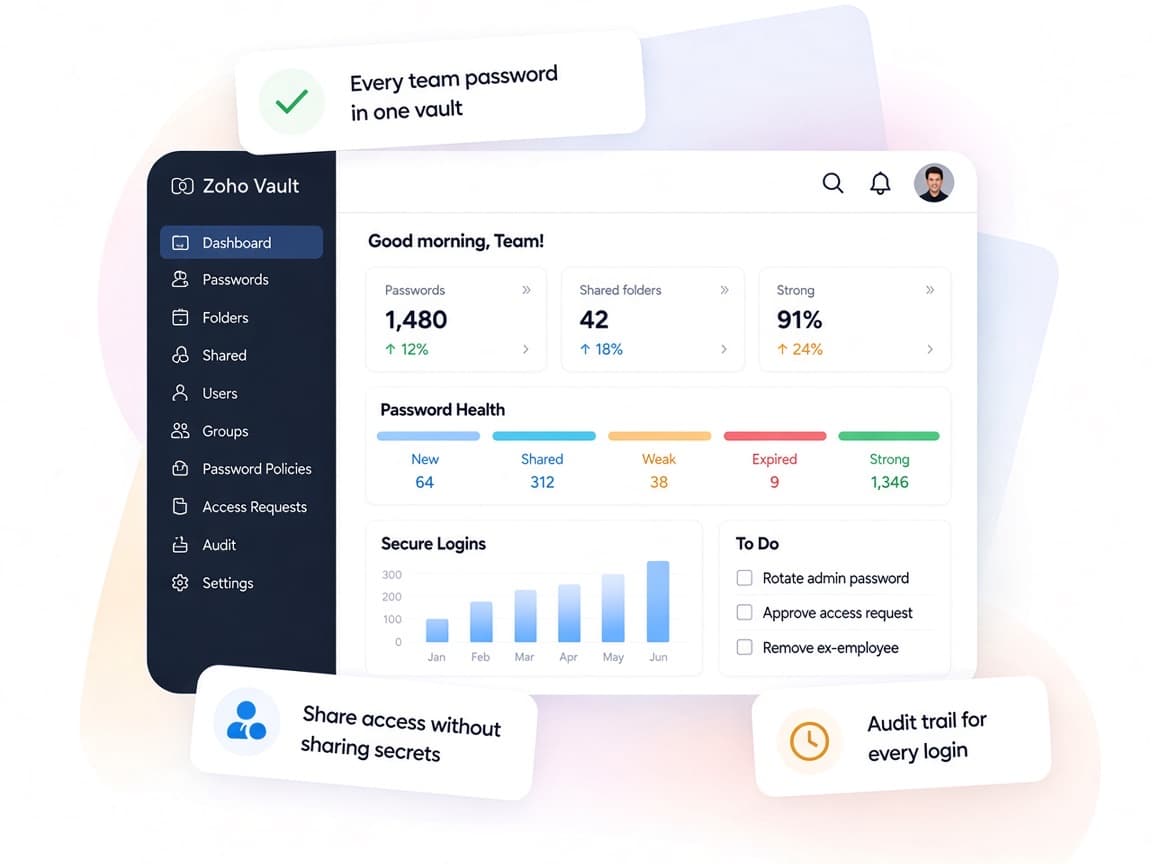
Why choose Zoho Vault
Credentials your team shares,without the risk.
Zoho Vault lets businesses share logins across teams while keeping control of who has access, when it was used and how to take it back.
- Everything in one vaultPasswords, passkeys, tokens and secrets stored together.
- Team-based sharingShare with user groups in bulk and revoke instantly.
- Approval-gated accessRequest-release workflows for mission-critical passwords.
- Usage visibilityReports on sharing, unchanged passwords and active users.
- Smart password toolsGenerate strong passwords and auto-change them on supported sites.
- Zero-knowledge designData encrypted client-side with your master password.
FAQ
Zoho Vaultquestions, answered.
Straight answers on setup, migration, integrations and timelines before you start.
Still have questions?
Tell us about your Zoho Vault setup and our team will get back to you.
Yes. Zoho documents user import from Active Directory, Microsoft Entra ID, Microsoft 365, Google Workspace and Zoho Directory, plus SSO through Okta and OneLogin. We configure the connection that matches your identity setup.
Yes. We plan the folder structure first, import credentials into the right folders, verify sharing with each team and help you retire the old copies.
We set up user groups and sharing, deploy browser extensions and mobile apps, and run short training sessions for admins and everyday users.
Yes. We configure request-release workflows with admin approval and time-limited access, and can tie requests to tickets in ServiceNow, Jira or Zendesk where Zoho supports it.
We configure the controls Vault offers, such as policies, IP restrictions, audits and backups. Whether that satisfies a specific compliance framework is a decision for your security and compliance advisors.
This depends on the systems involved, API availability, data complexity, testing requirements and business rules. These are typical Xevort project estimates, not fixed delivery commitments.
Free Zoho consultation
Ready to get more from Zoho Vault?
Tell us how your business works, what you want to improve, and where Zoho fits today. We'll recommend the right approach, with no obligation.
- Reply within 1 business day
- New or existing Zoho setups
- Fixed-scope proposals