
Communication
Zoho Webinar solutions set up the way you work.
Registration, live webcasts, polls, recordings and attendee analytics, set up so each webinar sends warm leads to CRM and campaigns.
- Registration Forms
- Email Invites
- Social Promotion
- Website Embeds
- Campaign Lists
- Session Material
 Zoho WebinarCommunication
- Qualified Leads
- On-demand Replays
- Engagement Reports
About Webinar
What Zoho Webinardoes.
The core of what Zoho Webinar offers, based on Zoho's official product documentation. It covers sign-up, the live session and follow-up email, so you can measure how many leads each presentation brings in.
- LargerLive audiences
- WarmerWebinar leads
- ClearerEngagement data
01Webcasting
Broadcast to large audiences straight from the browser, run recurring series and host interactive town halls.
- Webcasting
- Live streaming
- Webinar series
- Interactive town halls
02Registration
Collect sign-ups through custom forms, approve registrants manually or let attendees join without registering.
- Registration form customization
- Registration moderation
- Embed registration form
- Registrationless webinar
03Branding & promotion
Brand registration pages, promote sessions across channels and see which links bring in sign-ups.
- Registration page branding
- Webinar promotion
- Source tracking
- Custom domain
04Audience engagement
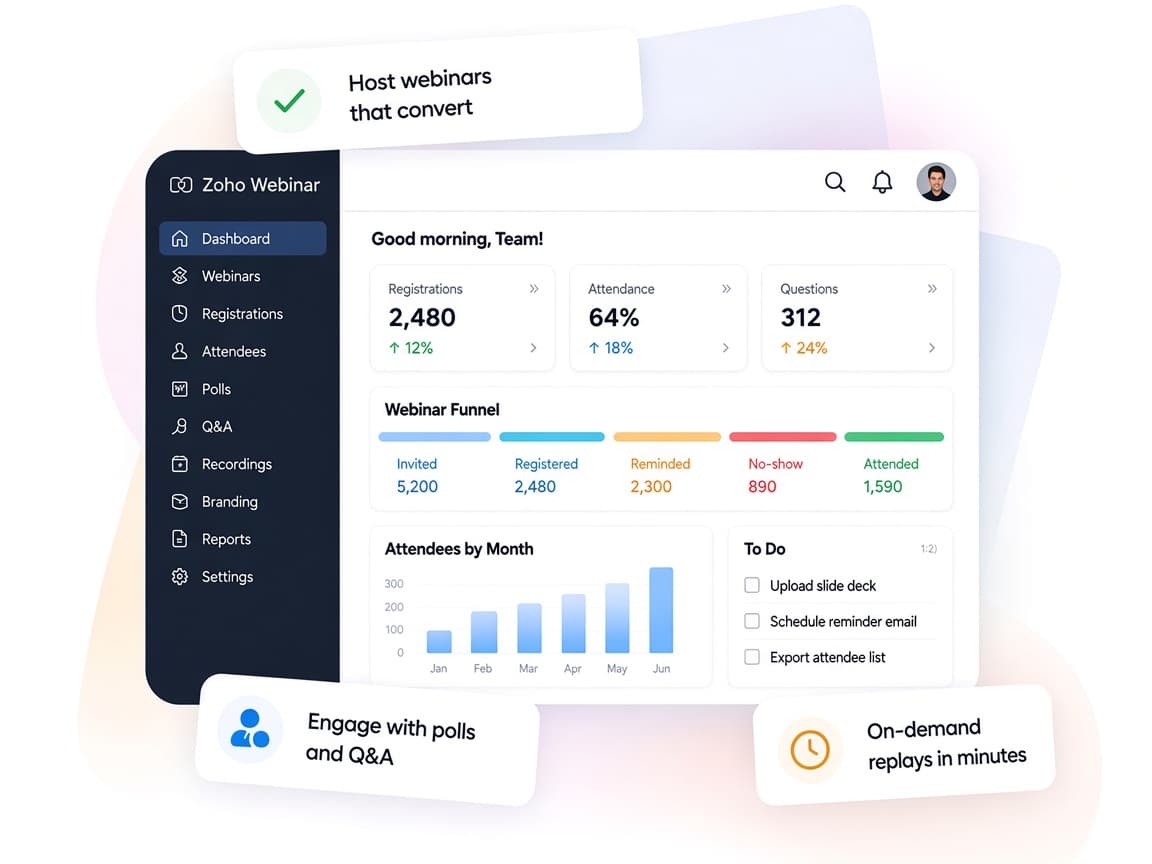
Keep attendees active with polls, Q&A, hand raising and emoji reactions, including anonymous questions.
- Polls
- Q & A
- Raise Hand
- Emoji reactions
05Recording & replays
Record each session, share materials and publish recordings that people can watch on demand.
- Webinar recording
- On-demand webinar
- Share material
06AI assistance
Break recordings into chapters and highlights, draft webinar copy with AI and turn transcripts into keynotes.
- Smart chapters and highlights
- AI writing assistant
- Zia keynotes
07Webinar analytics
Measure registrations, attendance, poll answers and questions, then export the data for deeper analysis.
- Webinar analytics
- Advanced analytics
- CSV export
08Workflow automation
Trigger instant or scheduled actions, post event data to other systems and run custom logic around each webinar.
- Workflows
- Webhook
- Custom function
How Xevort helps
Making Webinar work your way.
What our team can set up, customize and connect in Zoho Webinar.
Setup
Organizers, co-organizers, departments and default webinar settings prepared for your events calendar.
Customize
Registration fields, confirmation and reminder emails, and post-webinar redirects tailored to each event type.
Automate
Workflows, webhooks and Deluge custom functions that handle follow-ups, tagging and data handoffs.
Integrate
Webinar linked with CRM, Campaigns, Marketing Automation and Backstage, plus HubSpot or Zapier where needed.
Lead capture
Registrant and attendee data mapped into CRM leads with source and engagement details intact.
Branding
Branded registration pages, email headers and custom domain so every touchpoint carries your identity.
Event reporting
Source tracking and engagement reports configured to show which promotions and topics perform best.
On-demand
Recordings, chapters and on-demand pages set up so people can still watch sessions after they air.
Integrations
Connect Zoho Webinarwith the tools you use.
We can connect Webinar with other Zoho apps and the services you already use, so records move between them without anyone re-typing them.
- Native Zoho connectionsZoho apps that share data with each other out of the box.
- Delivered by XevortIntegrations our team has built on client projects.
- Officially supportedConnectors Zoho provides, set up and mapped to your process.
 CRM
 Campaigns
 Marketing Automation
 Backstage
 Calendar
 WorkDrive
 Cliq
 Flow
 HubSpot
 Zapier
 YouTube
- RARev AI
- Custom API
Why choose Zoho Webinar
Present once,follow up with every lead.
Zoho Webinar ties promotion, live delivery and follow-up together, so marketing can see exactly what each event produced.
- The whole event cycleRegistration, broadcast, recording and reporting in one product.
- Staff work togetherOrganizers, co-organizers and presenters share control of the session.
- Your event playbookWorkflows and custom functions follow your own follow-up rules.
- Measurable resultsSource tracking and analytics show what drove sign-ups and attendance.
- AI-ready recordingsSmart chapters, highlights and keynotes make replays easy to skim.
- Protected audiencesRegistration moderation, domain restrictions and encryption guard attendee data.
FAQ
Zoho Webinarquestions, answered.
Straight answers on setup, migration, integrations and timelines before you start.
Still have questions?
Tell us about your Zoho Webinar setup and our team will get back to you.
Yes. The official CRM integration pushes attendee information into Zoho CRM as leads, and webinars can be scheduled and reviewed from CRM. We map the fields, sources and follow-up rules so sales knows who attended and how engaged they were.
Zoho positions meetings as interactive sessions where everyone collaborates, and webinars as one-to-many broadcasts with registration, polls and Q&A. We look at your audience size and goals and recommend the right fit, or both.
Yes. Registration page branding and form customization are part of the Professional plan, while email customization and custom domains are in Enterprise. We design the pages and emails so they match your website.
Yes. We use Zoho Webinar workflows, webhooks and Deluge custom functions, alongside Zoho Campaigns or Marketing Automation, to send replays, tag attendees and alert sales about engaged prospects.
Yes. Every paid plan records webinars, and the Enterprise plan adds on-demand webinars that viewers can watch anytime. We set up the replay experience and train your team to publish recordings after each event.
This depends on the systems involved, API availability, data complexity, testing requirements and business rules. These are typical Xevort project estimates, not fixed delivery commitments.
Free Zoho consultation
Ready to get more from Zoho Webinar?
Tell us how your business works, what you want to improve, and where Zoho fits today. We'll recommend the right approach, with no obligation.
- Reply within 1 business day
- New or existing Zoho setups
- Fixed-scope proposals