
Office & Productivity
Zoho ToDo solutions set up the way you work.
Personal and group task management with subtasks, recurring work, Kanban views and a Unified View of tasks from other Zoho apps.
- Emails
- CRM Tasks
- Project Tasks
- Support Tickets
- Team Requests
- Mobile Capture
 Zoho ToDoOffice & Productivity
- Prioritized Lists
- Team Boards
- Reminders
About ToDo
What Zoho ToDodoes.
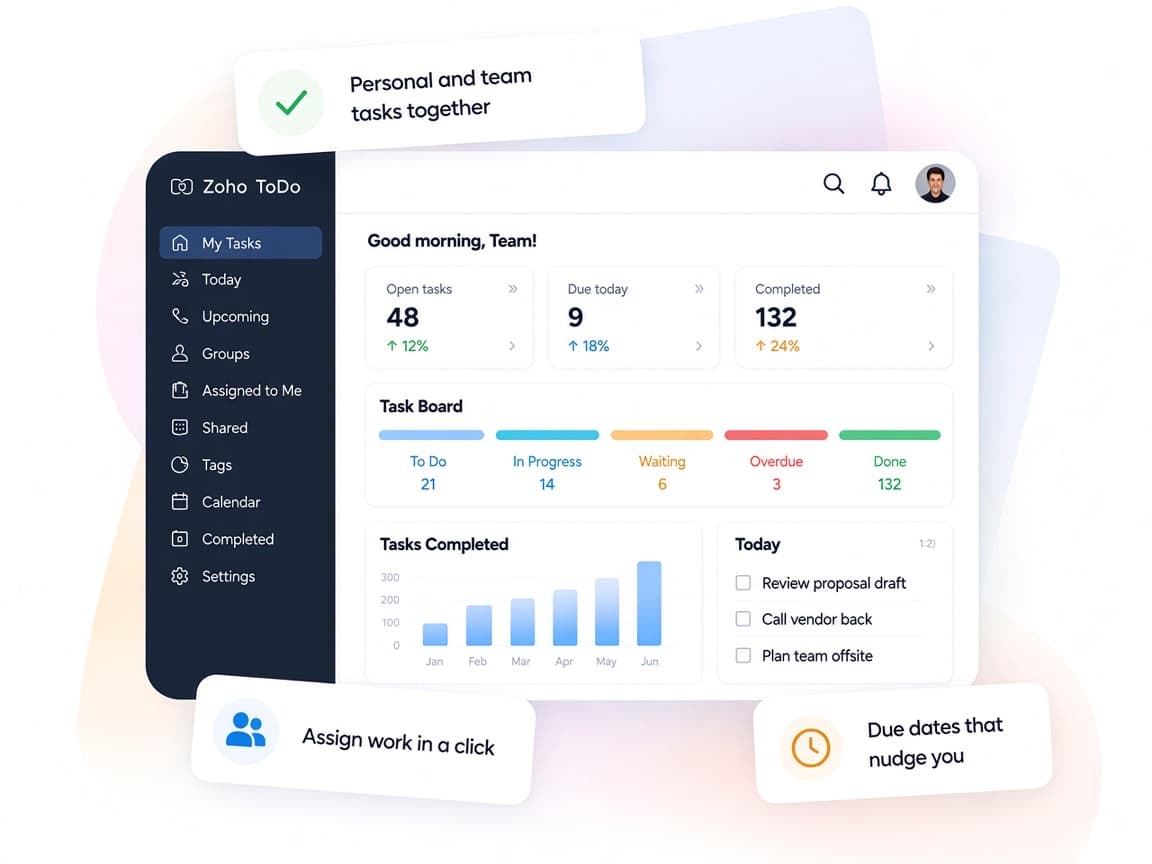
The core of what Zoho ToDo offers, based on Zoho's official product documentation. Personal reminders and shared team boards sit in one app, so everyone can see what's due and who owns it.
- ClearerDaily priorities
- FewerForgotten tasks
- SharedTeam workload
01Task capture
Add tasks from any view, break big jobs into subtasks and import existing lists from other tools.
- New Task
- Subtasks
- Import tasks
- Custom fields
02Classification
Set priority, file tasks into categories, add personal labels and define statuses beyond open and closed.
- Priority
- Categories
- Labels
- Custom status
03Scheduling
Plan with start and due dates, get reminders by notification or email and repeat routine work automatically.
- Start date
- Due date
- Reminders
- Recurring tasks
04Group tasks
Manage shared work in groups, give one task several assignees on paid plans and invite colleagues to follow along.
- Groups
- Multiple assignees
- Invitees
05Discussion
Talk through a task in social-style comments, mention teammates and move longer threads to Cliq.
- Comments
- @mentions
- Likes
- Share via Cliq
06Views
See work by due date in Agenda, plan the day in My Day and switch between board and list layouts.
- Agenda view
- My Day
- Board view
- Filters
07Unified View
Work on tasks from CRM, Projects, People, Desk and Mail on one screen without opening each app.
- Unified View
- Zoho CRM tasks
- Zoho Projects tasks
- Zoho Desk tasks
08Task control
Update many tasks at once, archive finished work, follow every edit and publish tasks for outside viewers.
- Bulk actions
- Archive
- Task timeline
- Publish tasks
How Xevort helps
Making ToDo work your way.
What our team can set up, customize and connect in Zoho ToDo.
Setup
Organization, groups, moderators and member access arranged to mirror how your teams share work.
Customize
Custom fields, categories, statuses and labels for each group, so tasks hold the details you track.
Automate
Recurring tasks plus Zoho Flow triggers and actions that create or update tasks from other apps.
Integrate
ToDo linked with Mail, CRM, Projects, People and Desk so their tasks appear in Unified View.
Task import
Existing tasks brought in from CSV files, Trello or Google and checked before teams switch.
Team groups
Group structure, roles and invitee rules set up so shared tasks stay visible without oversharing.
Daily planning
Agenda, My Day and board views configured with saved filters that suit each role's routine.
Recurring work
Repeat patterns and reminders for reports, payments and submissions that come round on a schedule.
Integrations
Connect Zoho ToDowith the tools you use.
We can connect ToDo with other Zoho apps and the services you already use, so records move between them without anyone re-typing them.
- Native Zoho connectionsZoho apps that share data with each other out of the box.
- Delivered by XevortIntegrations our team has built on client projects.
- Officially supportedConnectors Zoho provides, set up and mapped to your process.




Why choose Zoho ToDo
Every task,one clear list.
Zoho ToDo brings personal and team tasks together with work from other Zoho apps, so nothing slips between tools.
- All tasks togetherUnified View pulls tasks from CRM, Projects, People, Desk and Mail.
- Shared group workGroups, assignees and comments keep teams coordinated.
- Fits each teamCustom fields, statuses and categories match every group's process.
- Today at a glanceAgenda and My Day show what's due and what's slipping.
- Repeat on autopilotRecurring tasks and reminders handle routine follow-ups.
- Right people onlyGroup roles, invitee settings and private labels control visibility.
FAQ
Zoho ToDoquestions, answered.
Straight answers on setup, migration, integrations and timelines before you start.
Still have questions?
Tell us about your Zoho ToDo setup and our team will get back to you.
Yes. Unified View lists tasks from Zoho CRM, Projects, People, Desk and Mail on one screen, and you can add or edit them there. We enable each integration and arrange the view for your team.
Yes. ToDo supports task imports from CSV files, Trello and Google. We map your lists to groups and categories, run the import and review the results with your team.
Yes. Each group can have its own custom fields, categories and statuses. We set these up per team so tasks capture the details each group needs.
Yes. Recurring tasks handle routine work, and Zoho Flow can create or update personal and group tasks from events in other apps. We build and test the flows you need.
Yes. After testing, we train group moderators on settings and permissions, and show everyone how to plan with views, reminders and comments on web and mobile.
This depends on the systems involved, API availability, data complexity, testing requirements and business rules. These are typical Xevort project estimates, not fixed delivery commitments.
Free Zoho consultation
Ready to get more from Zoho ToDo?
Tell us how your business works, what you want to improve, and where Zoho fits today. We'll recommend the right approach, with no obligation.
- Reply within 1 business day
- New or existing Zoho setups
- Fixed-scope proposals