
Office & Productivity
Zoho Writer solutions set up the way you work.
A cloud word processor with Zia proofing, co-authoring, merge templates, fillable forms and signing workflows, set up so routine documents are generated from your data.
- CRM Records
- Form Entries
- Word Files
- Spreadsheets
- Templates
- Reviewers
 Zoho WriterOffice & Productivity
- Merged Documents
- Signed Agreements
- Published Posts
About Writer
What Zoho Writerdoes.
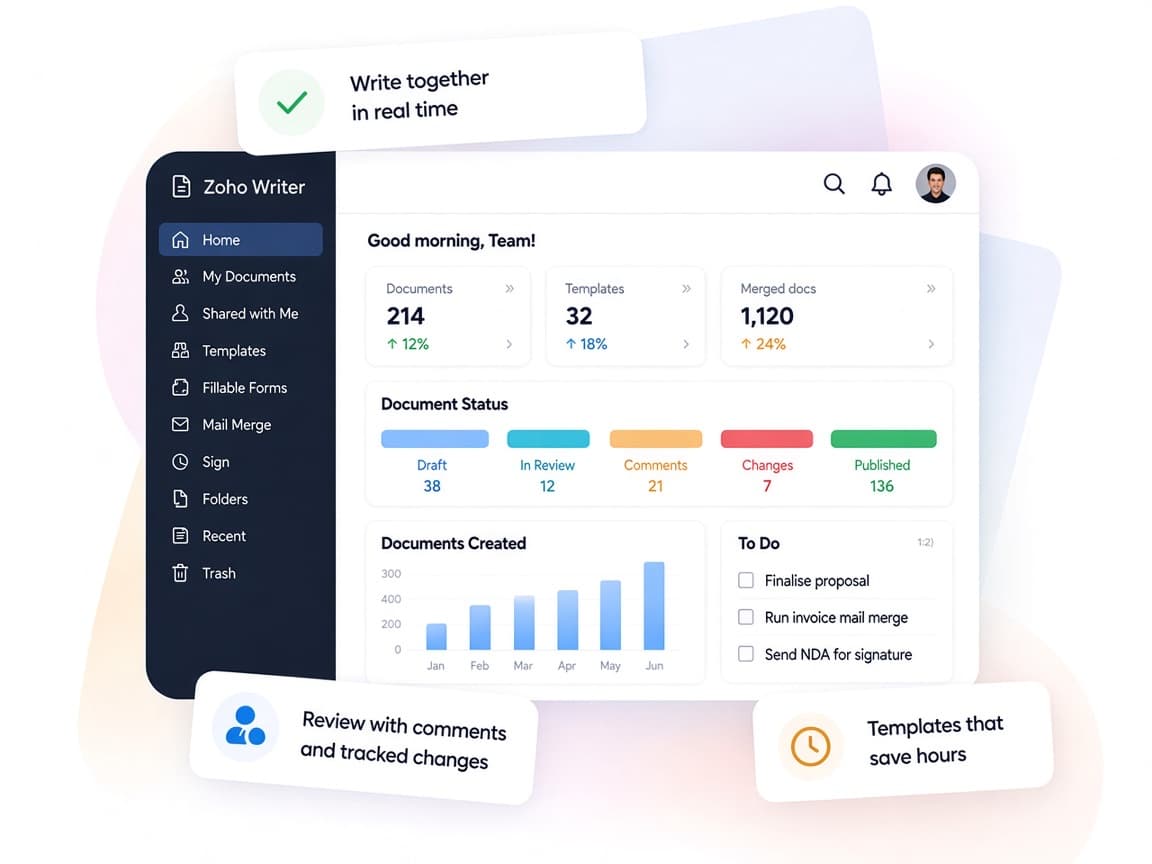
The core of what Zoho Writer offers, based on Zoho's official product documentation. Writing, review, forms and signing happen in one editor, so a draft can become a signed contract without switching tools.
- PolishedBusiness documents
- FewerCopy-paste errors
- FasterSignature turnaround
01Document design
Build complex layouts with columns, section breaks, borders, tables and charts, or start from a ready template.
- Multi-column layouts
- Section breaks
- Headers & footers
- Templates
02Zia writing assistant
Catch grammar slips, get style and rewrite suggestions, check for plagiarism and translate whole documents.
- Grammar check
- Rewrite suggestions
- Plagiarism checker
- Translation
03Co-authoring
Edit together in real time, review with tracked changes and comments, and lock sections others shouldn't touch.
- Track changes
- Comments
- Version history
- Mark as Final
04Document automation
Generate personalized letters, proposals and invoices in bulk from business data with a visual no-code builder.
- Mail merge
- Automation flow builder
- Webhooks
- REST APIs
05Fillable forms
Turn paper forms, static PDFs or DOCX files into interactive forms you can prefill, share or embed on a website.
- Fillable templates
- Fillable PDFs
- AI-based form recognizer
- Webforms
06Approvals & signatures
Route drafts through approval steps and collect digital signatures without leaving the editor.
- Approval workflows
- Signing workflows
- Zoho Sign
07Publishing
Send finished pieces straight to a blog, either right away or on a schedule you set.
- WordPress
- Medium
- Blogger
- Scheduled posts
08Any device, any format
Open and save DOCX and other formats, work offline on desktop apps and pick up on iOS or Android.
- Offline mode
- Desktop apps
- Word compatibility
- Citations
How Xevort helps
Making Writer work your way.
What our team can set up, customize and connect in Zoho Writer.
Setup
Organization, team folders, sharing defaults and user access configured for every department that writes.
Customize
Branded templates with your fonts, letterheads, styles and reusable layouts for each document type.
Automate
Visual automation flows, webhooks and Deluge custom functions that generate and deliver documents on business events.
Integrate
Writer linked to CRM, Books, Recruit, Sign and Sheet, plus DocuSign or WordPress where your team needs them.
Merge templates
Quotes, offer letters and contracts with merge fields, conditions, formulas and subforms tied to live data.
Fillable forms
Paper and PDF forms rebuilt as prefilled, shareable fillable documents that collect data back into your apps.
Signing flows
Approval and signer sequences configured so documents move from draft to signed copy without email chases.
Doc migration
Existing Word templates and documents imported, cleaned up and converted into reusable Writer templates.
Integrations
Connect Zoho Writerwith the tools you use.
We can connect Writer with other Zoho apps and the services you already use, so records move between them without anyone re-typing them.
- Native Zoho connectionsZoho apps that share data with each other out of the box.
- Delivered by XevortIntegrations our team has built on client projects.
- Officially supportedConnectors Zoho provides, set up and mapped to your process.

















Why choose Zoho Writer
Documents generatedfrom your own data.
Zoho Writer joins a capable word processor with no-code document automation, so teams stop rebuilding the same paperwork by hand.
- Write to signatureDrafting, review, forms and signing share a single editor.
- Live co-authoringTracked changes, comments and @mentions keep reviewers aligned.
- Templates that scaleMerge fields, conditions and flows match how you produce paperwork.
- Clear review trailVersion history and approval steps show who changed and approved what.
- Zia proofreadingGrammar, style, plagiarism and translation help in the same window.
- Locked when finalContent locks, permissions and Mark as Final protect finished work.
FAQ
Zoho Writerquestions, answered.
Straight answers on setup, migration, integrations and timelines before you start.
Still have questions?
Tell us about your Zoho Writer setup and our team will get back to you.
Yes. Writer's merge templates pull fields from Zoho CRM and other Zoho apps, and its automation flow builder can trigger generation from CRM updates or form submissions. We design the templates, map the fields and set up delivery by email, signing or storage.
Yes. Writer imports DOCX files with their formatting, and existing documents or static PDFs can be converted into dynamic templates. We clean up the layouts and add merge fields so the templates work with live data.
Writer officially integrates with Zoho Sign, DocuSign, Adobe Sign and Signeasy. We configure signer roles and order, and route completed copies to wherever your team files them.
Yes. Writer includes approval workflows inside the editor and as part of automated generation flows. We set up reviewers and stages, and add Deluge custom functions or webhooks when approvals need to update other systems.
Yes. Once everything is tested, we train template owners on maintaining merge fields and flows, and show everyday users how to co-author, review and send documents.
This depends on the systems involved, API availability, data complexity, testing requirements and business rules. These are typical Xevort project estimates, not fixed delivery commitments.
Free Zoho consultation
Ready to get more from Zoho Writer?
Tell us how your business works, what you want to improve, and where Zoho fits today. We'll recommend the right approach, with no obligation.
- Reply within 1 business day
- New or existing Zoho setups
- Fixed-scope proposals